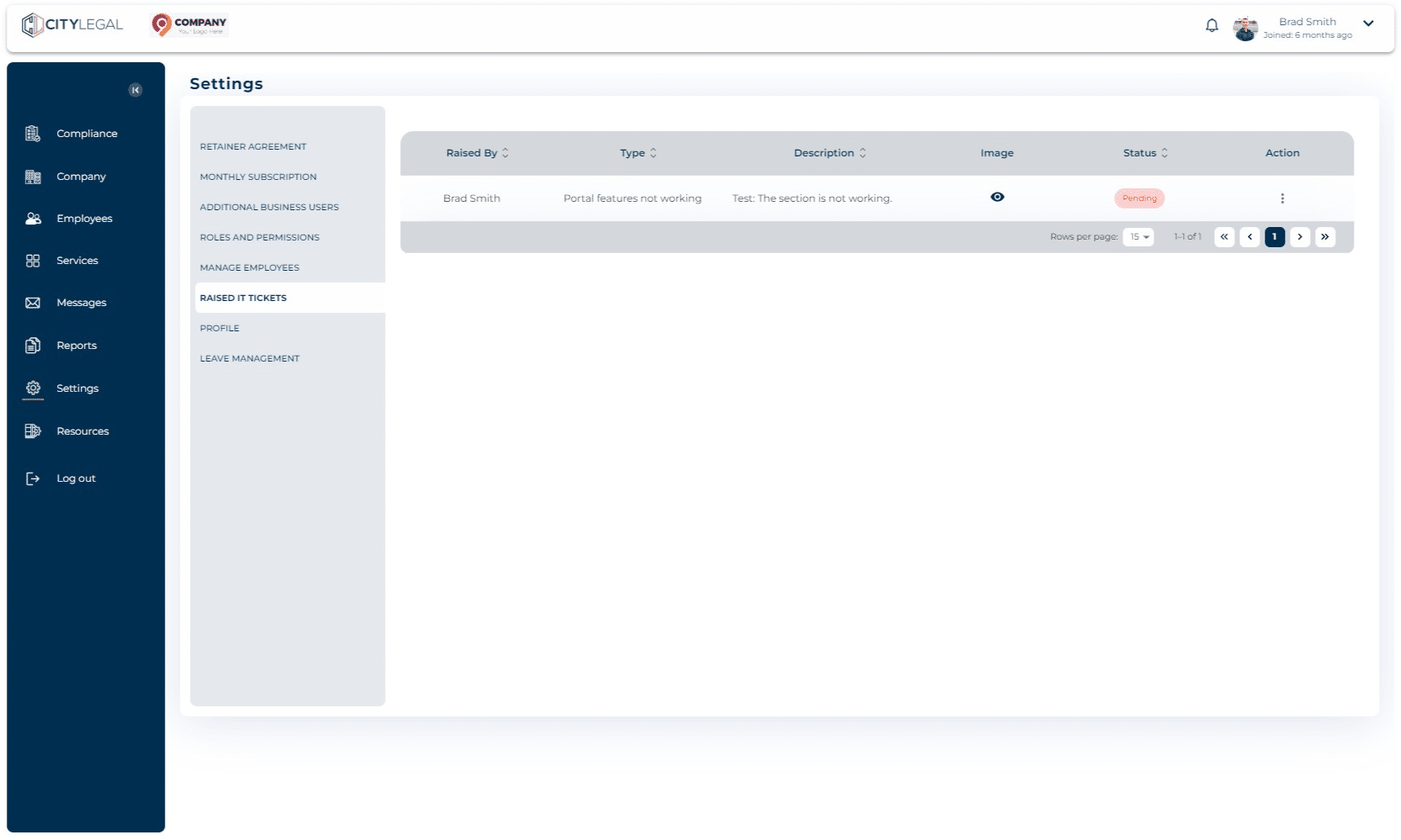
Raise an IT ticket
Aug 02, 2024●
1
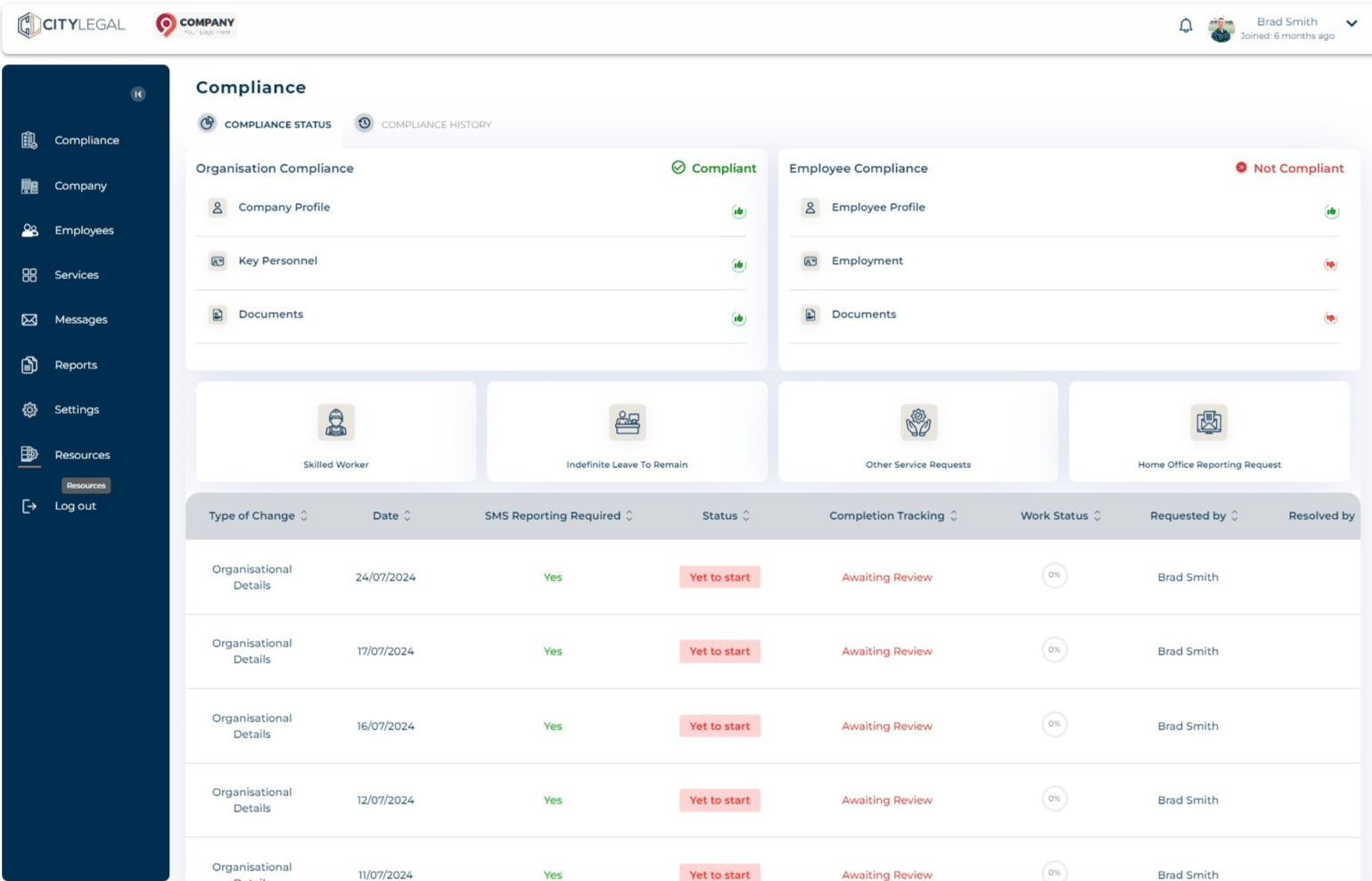
Navigate to "Resources"

2
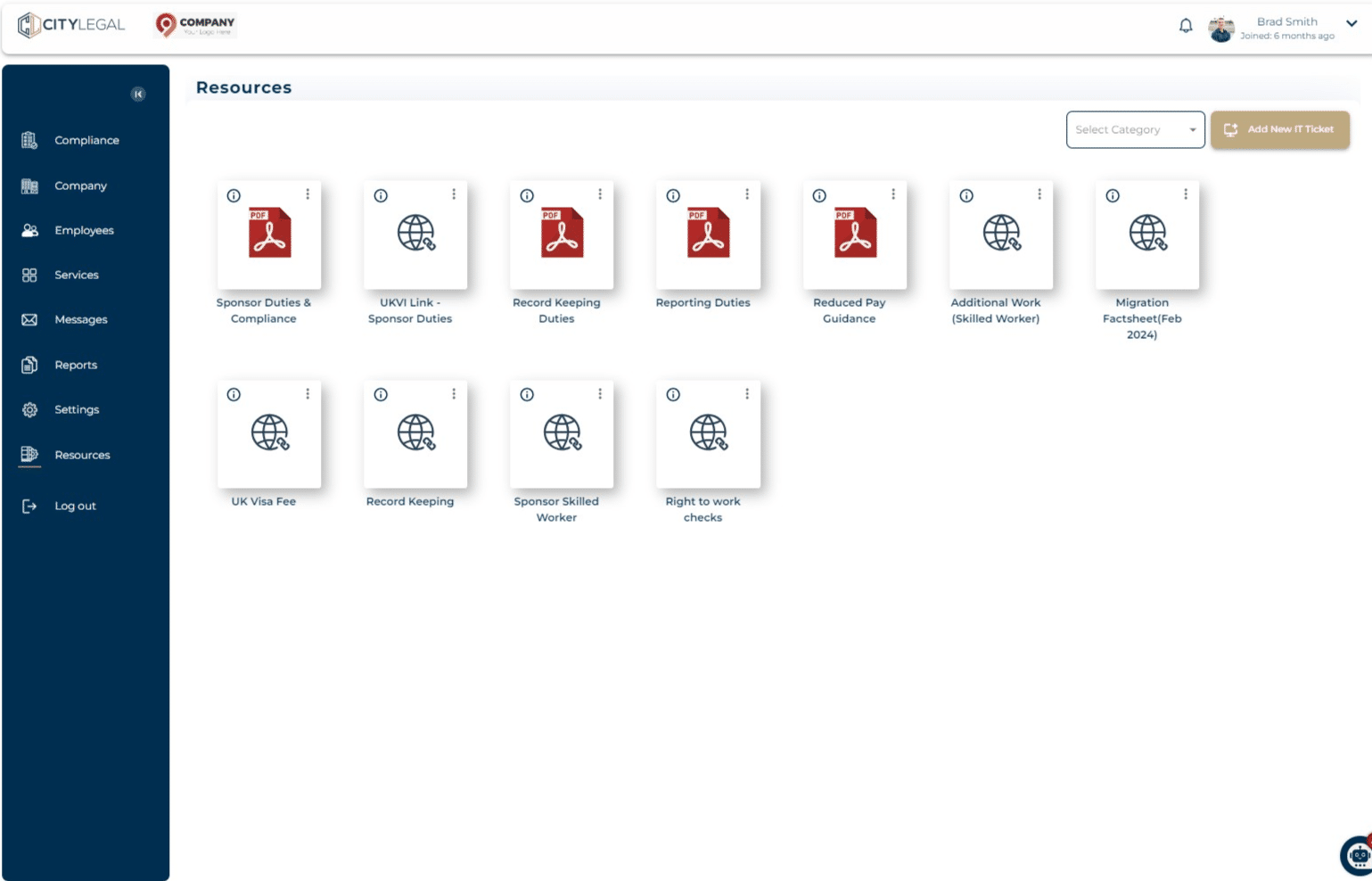
Click on 'Add New IT Ticket'
3
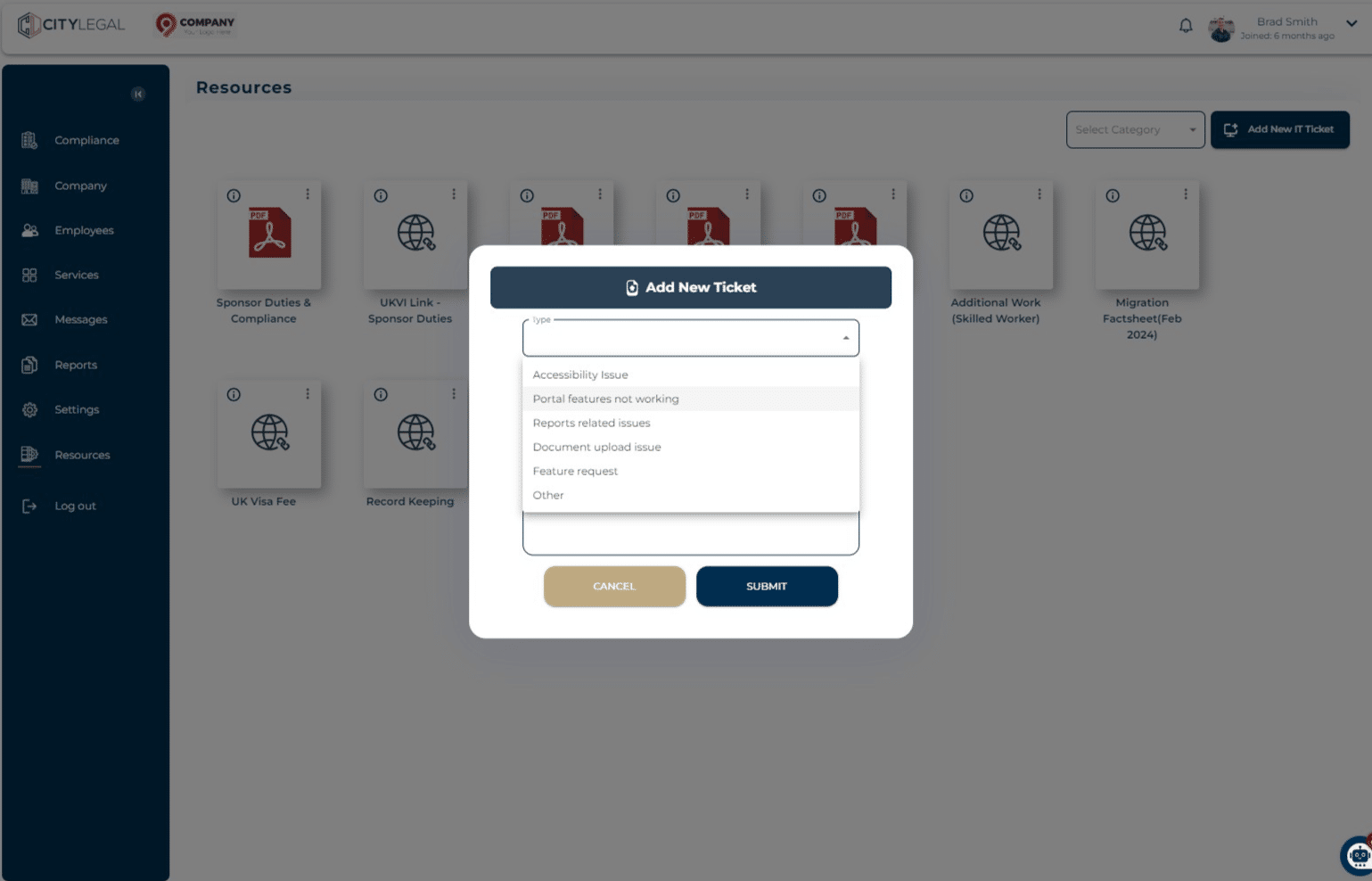
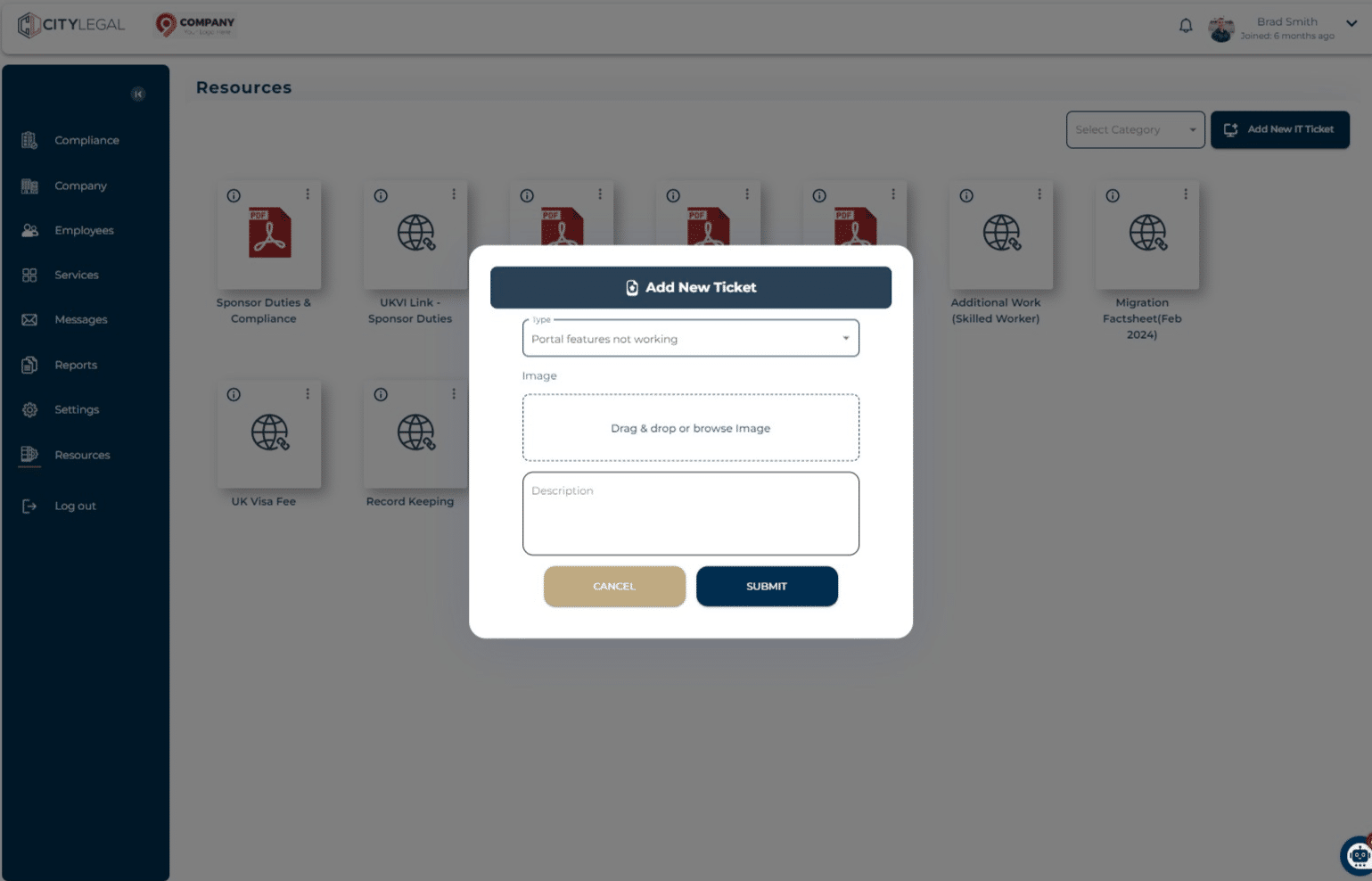
In the pop up, select the Type of issue you want to raise a ticket for.
4
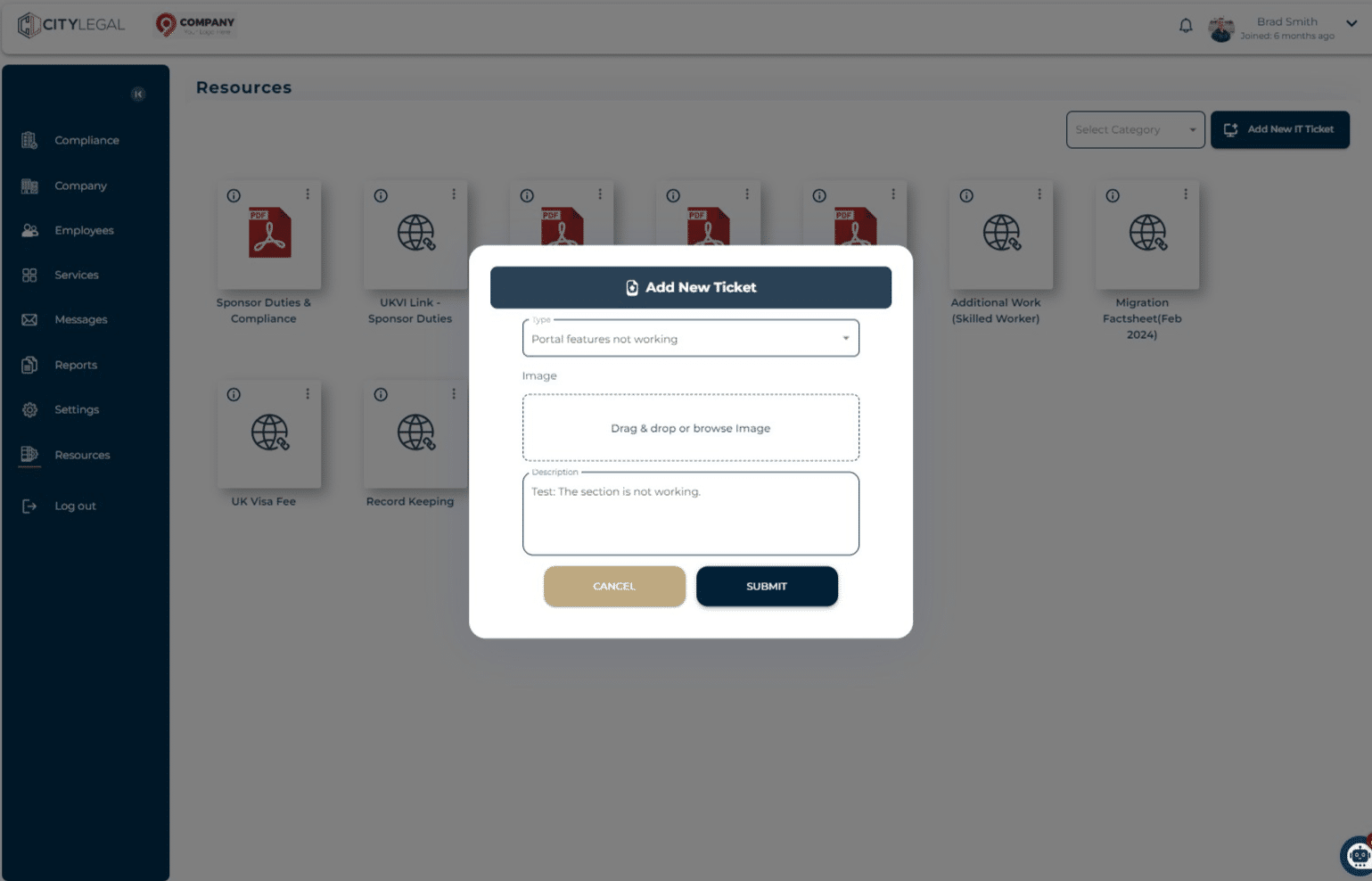
Add images and a description for the issue.
5
Once all the information is added, click 'Submit'.
6
To see all the raised IT tickets and their status, go to 'Settings' and click on "Raised It Tickets"