

Add Additional Business Users
Jul 31, 2024●
1
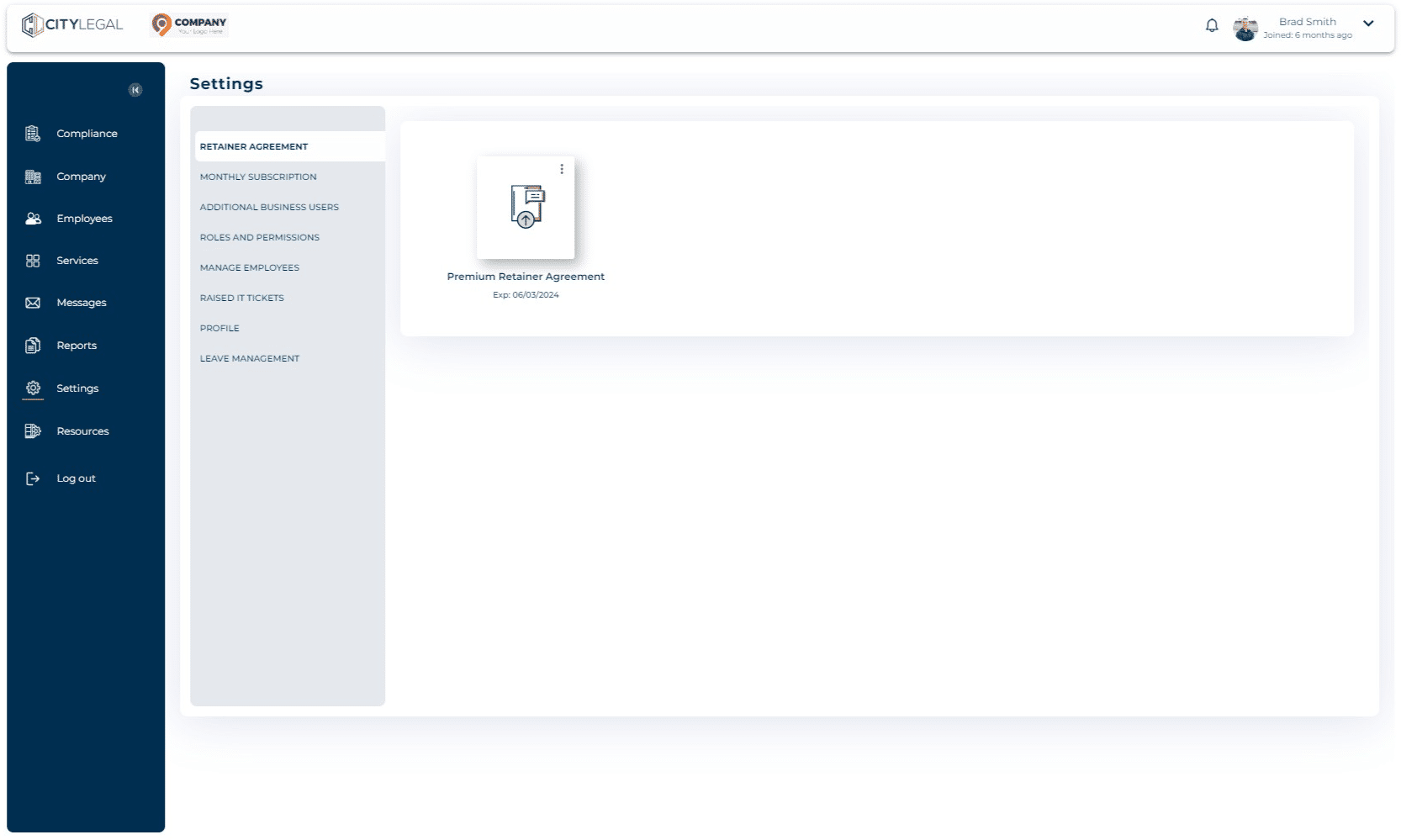
In the 'Settings' tab, click on "Additional Business Users".

2
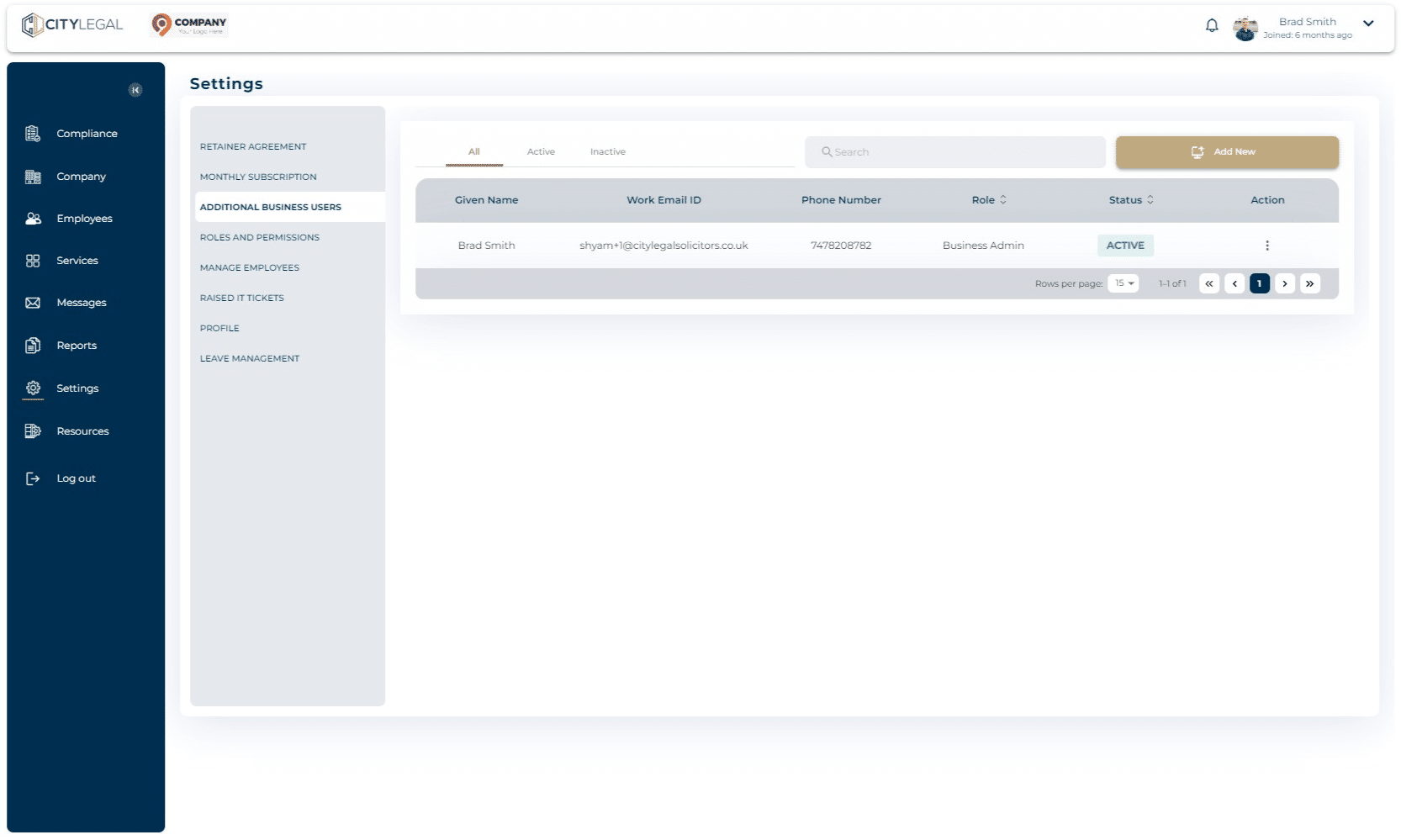
Click on 'Add New'.
3
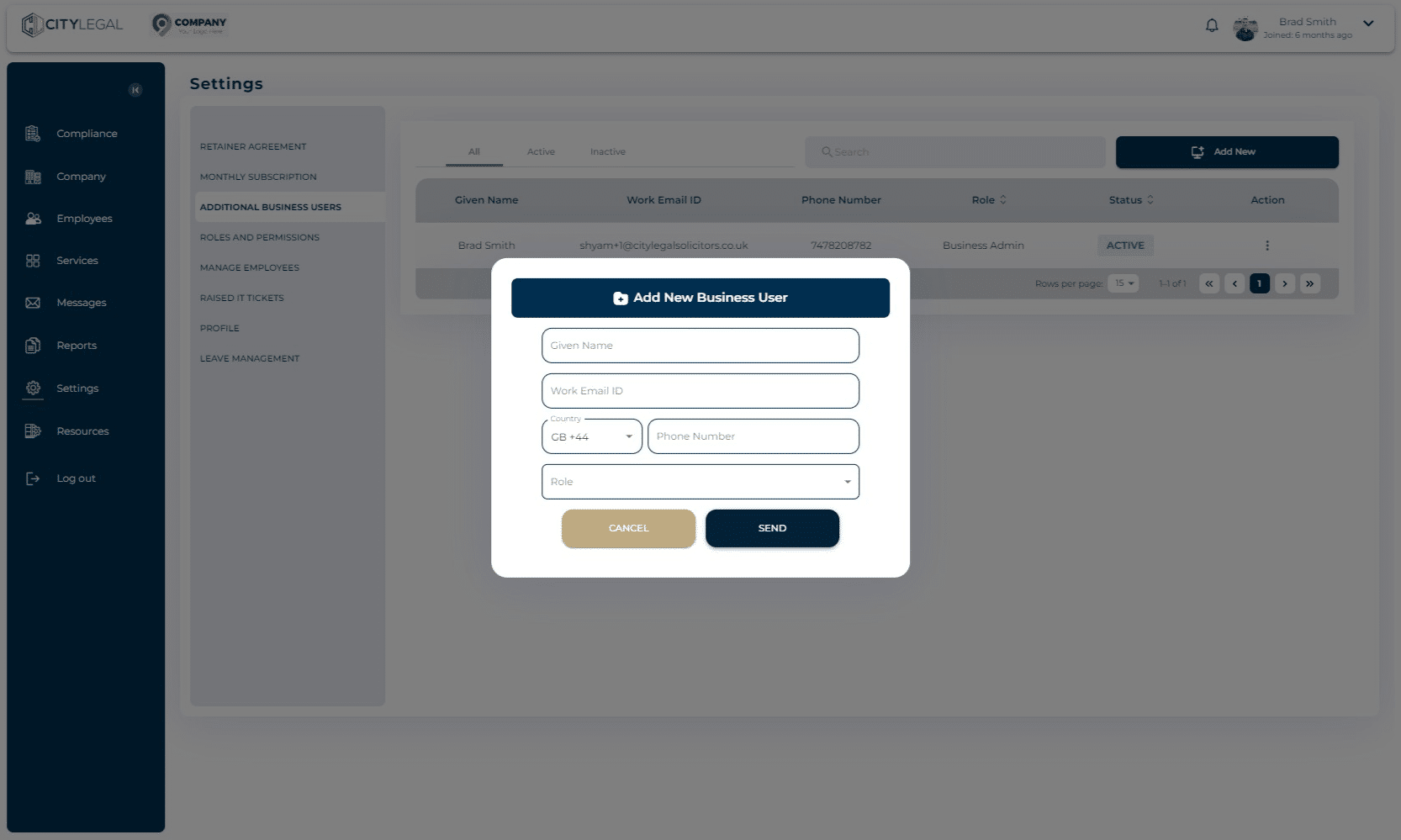
Fill in the details. Click on 'Send' to invite the user.
In the 'Settings' tab, click on "Additional Business Users".
Click on 'Add New'.
Fill in the details. Click on 'Send' to invite the user.