logo

Creating a Recruitment Campaign (Advertisements Placed)

1

Navigate to 'Employees' and click on the three dots next to the employee that you want to create the recruitment campaign for. Click on View.
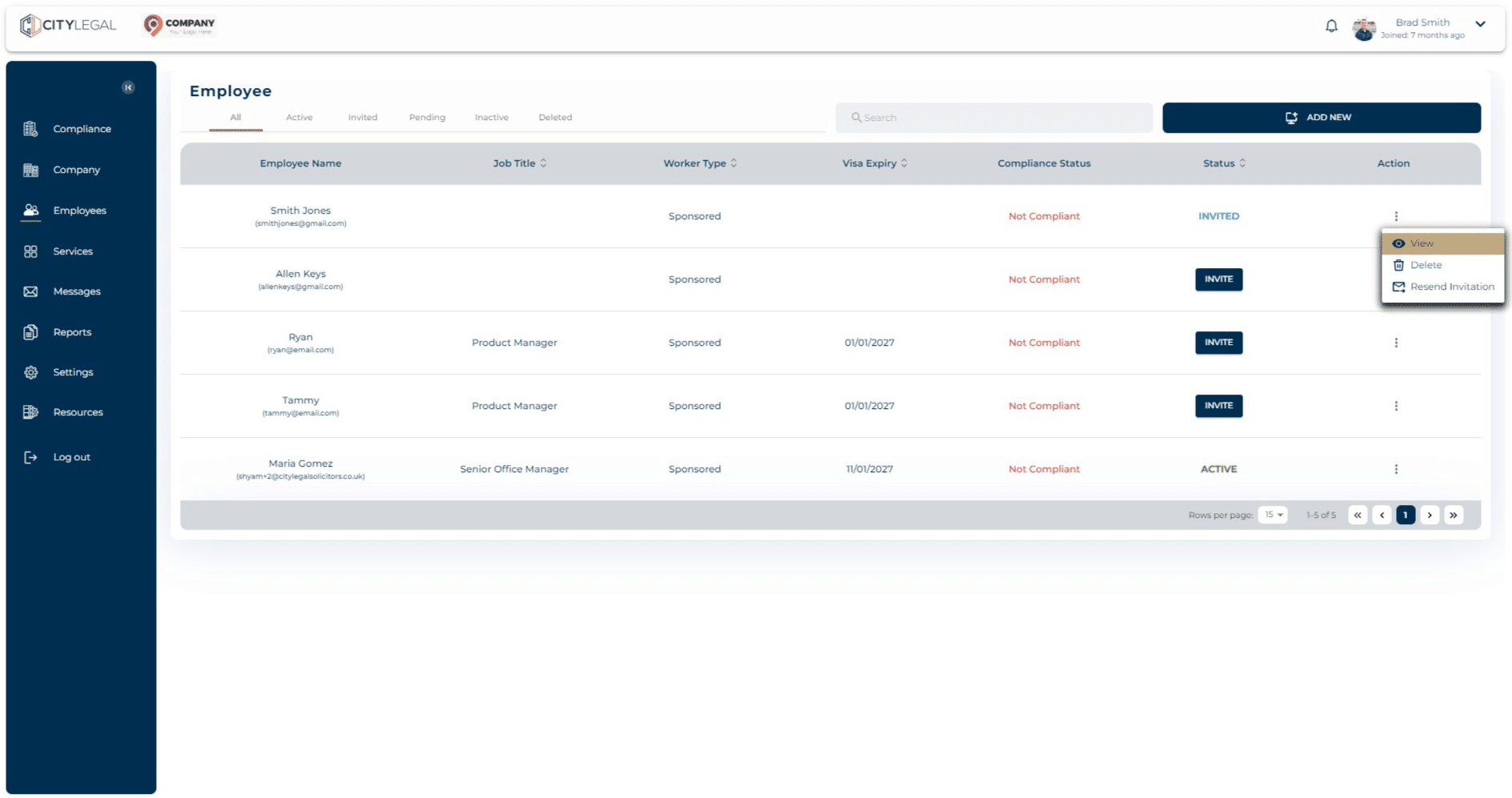
Navigate to 'Employees' and click on the three dots next to the employee that you want to create the recruitment campaign for. Click on View.
2

Click on "Employment Details".

Click on "Employment Details".
3

Click on "Recruitment Details" in there.
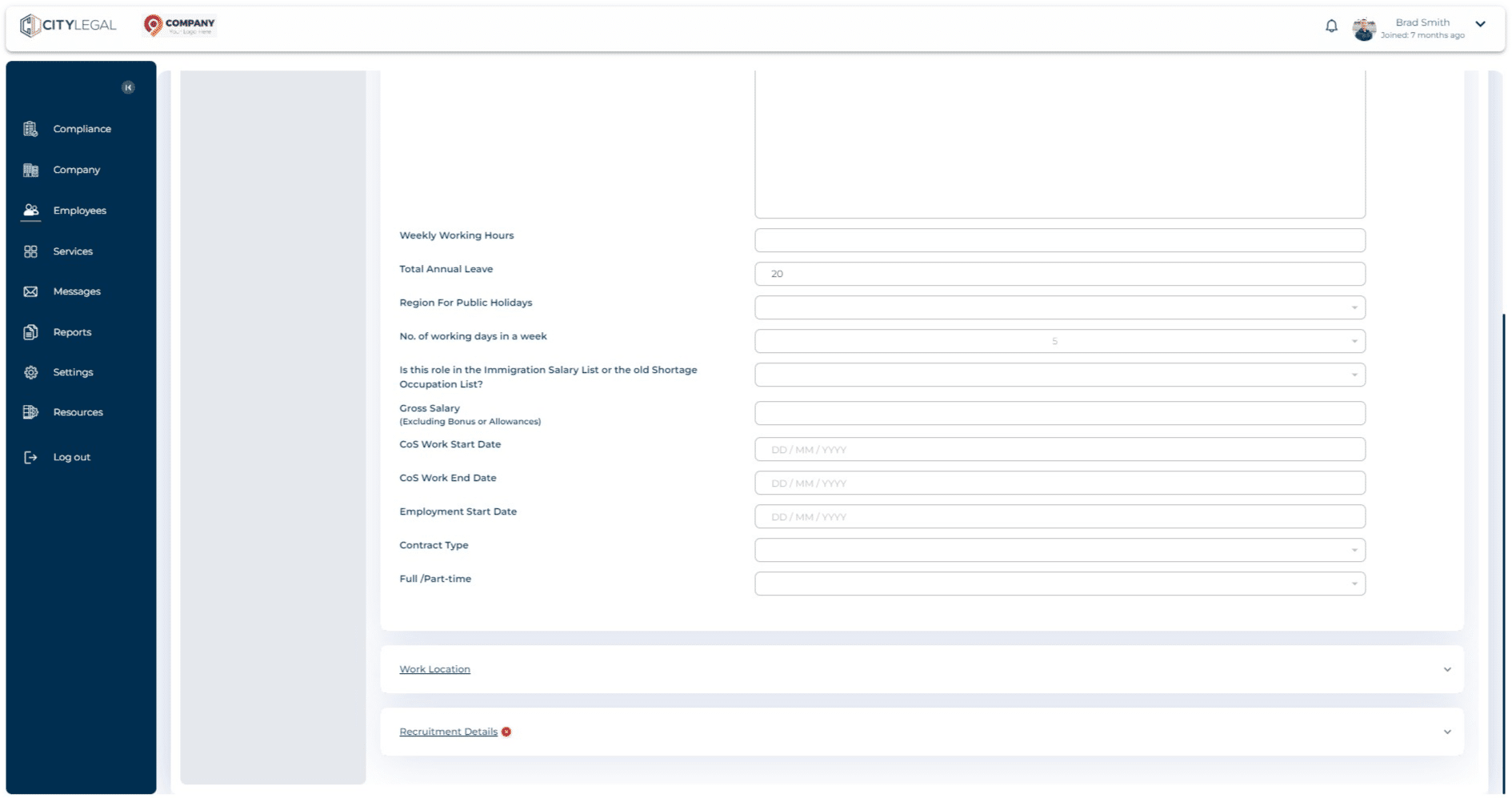
Click on "Recruitment Details" in there.
4

Click on "Create Campaign" to create a brand new campaign.
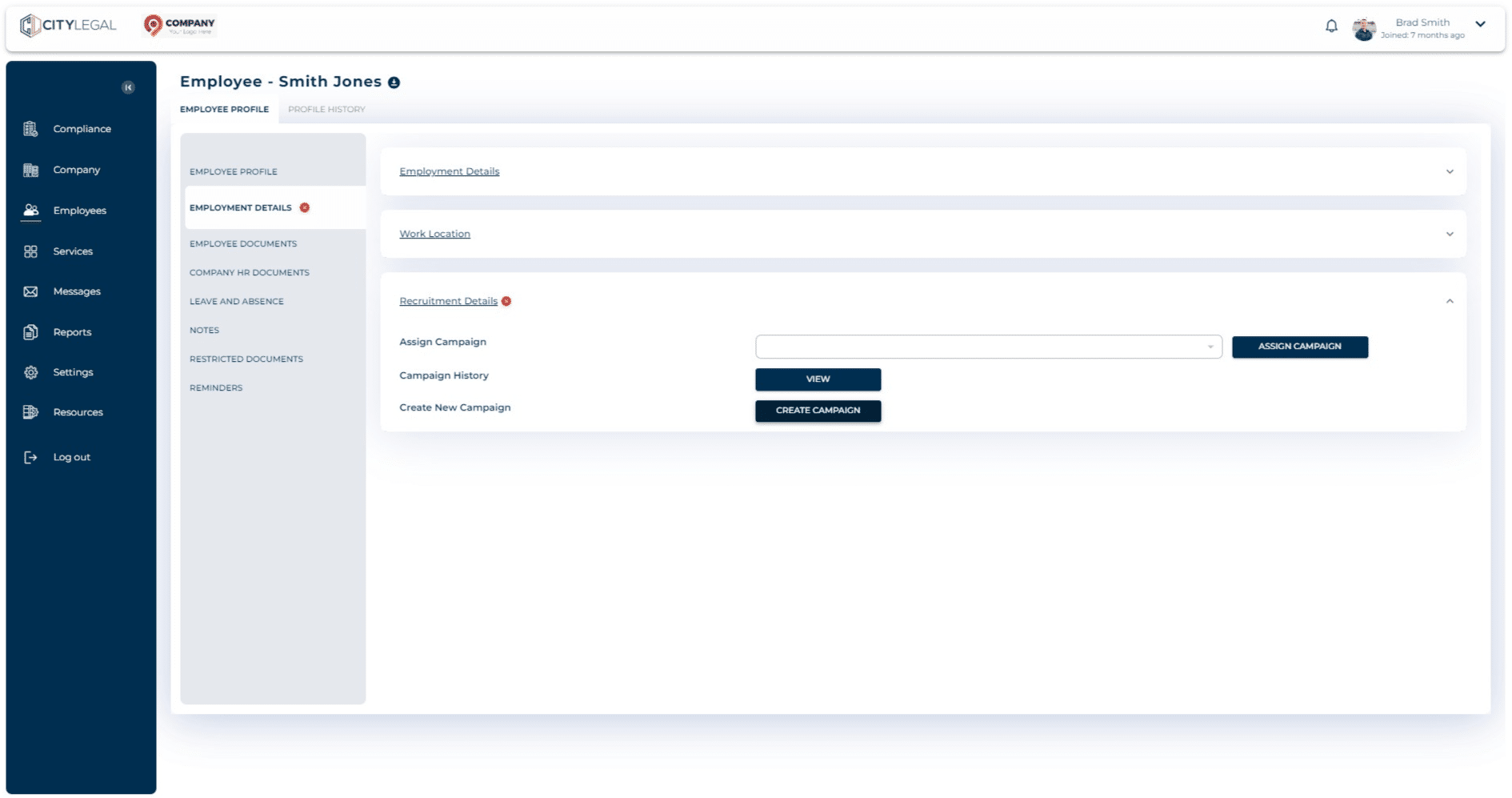
Click on "Create Campaign" to create a brand new campaign.
5

Click on 'Recruitment Campaign' and then click 'Next'.
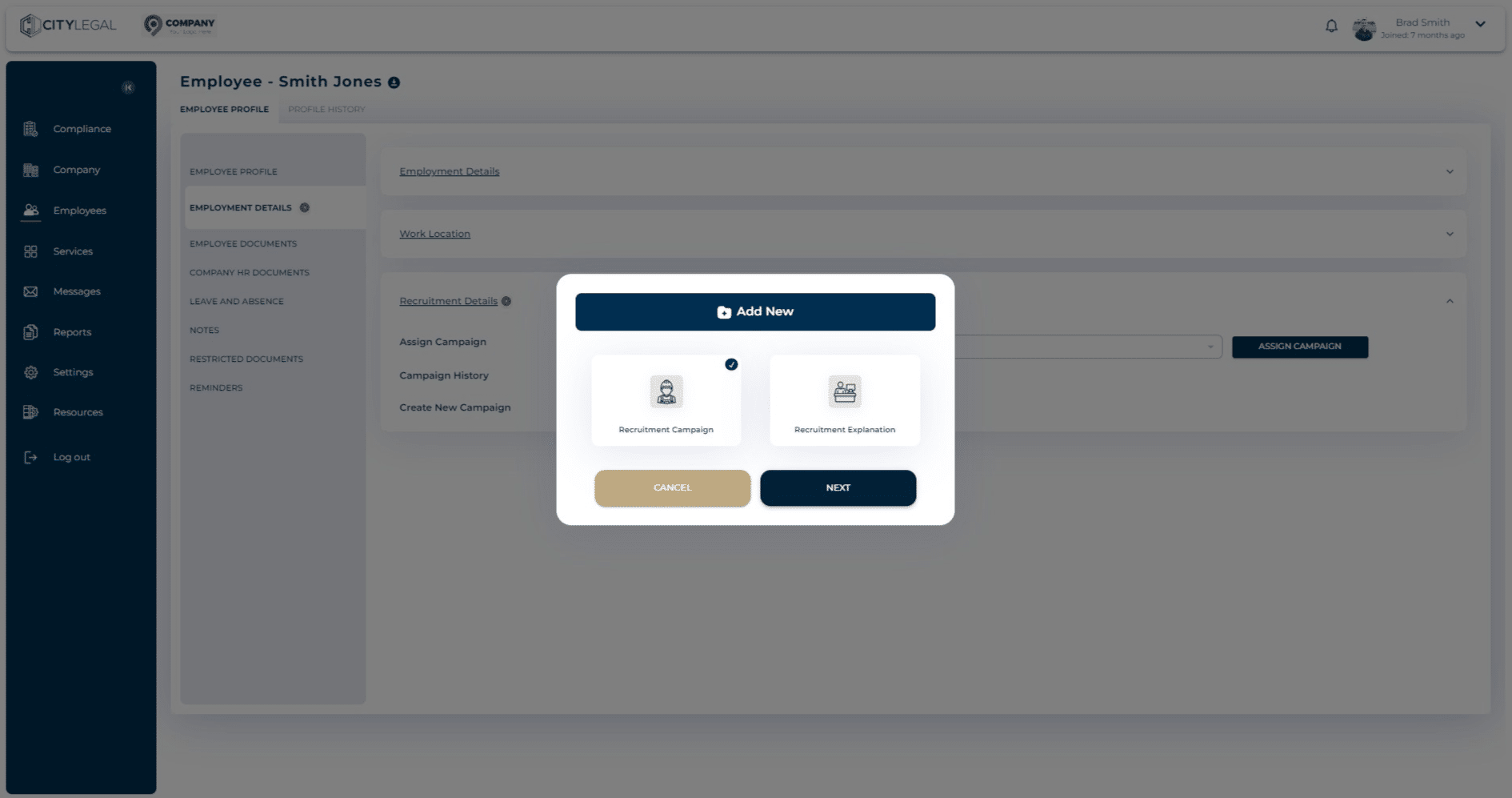
Click on 'Recruitment Campaign' and then click 'Next'.
6

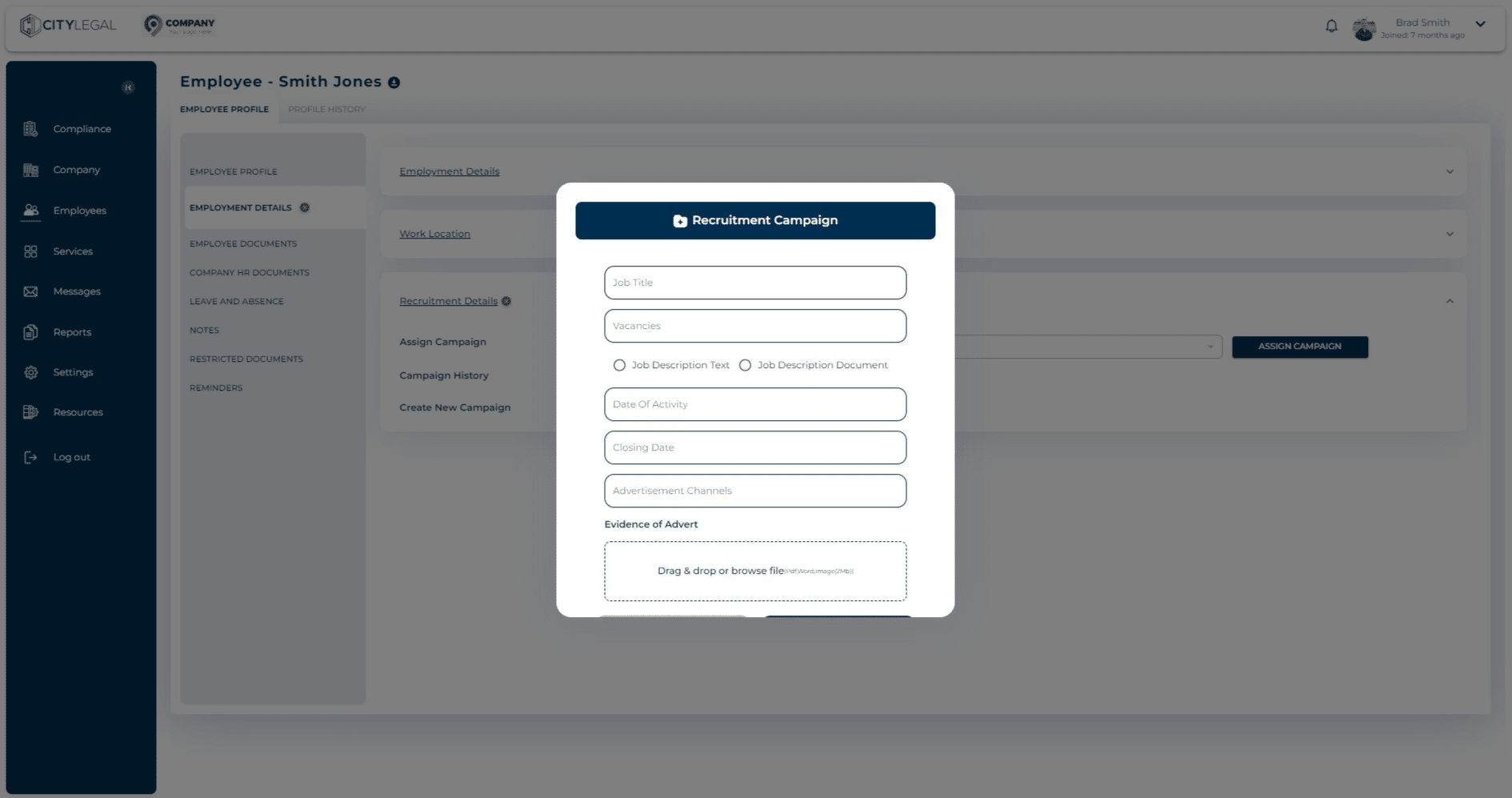
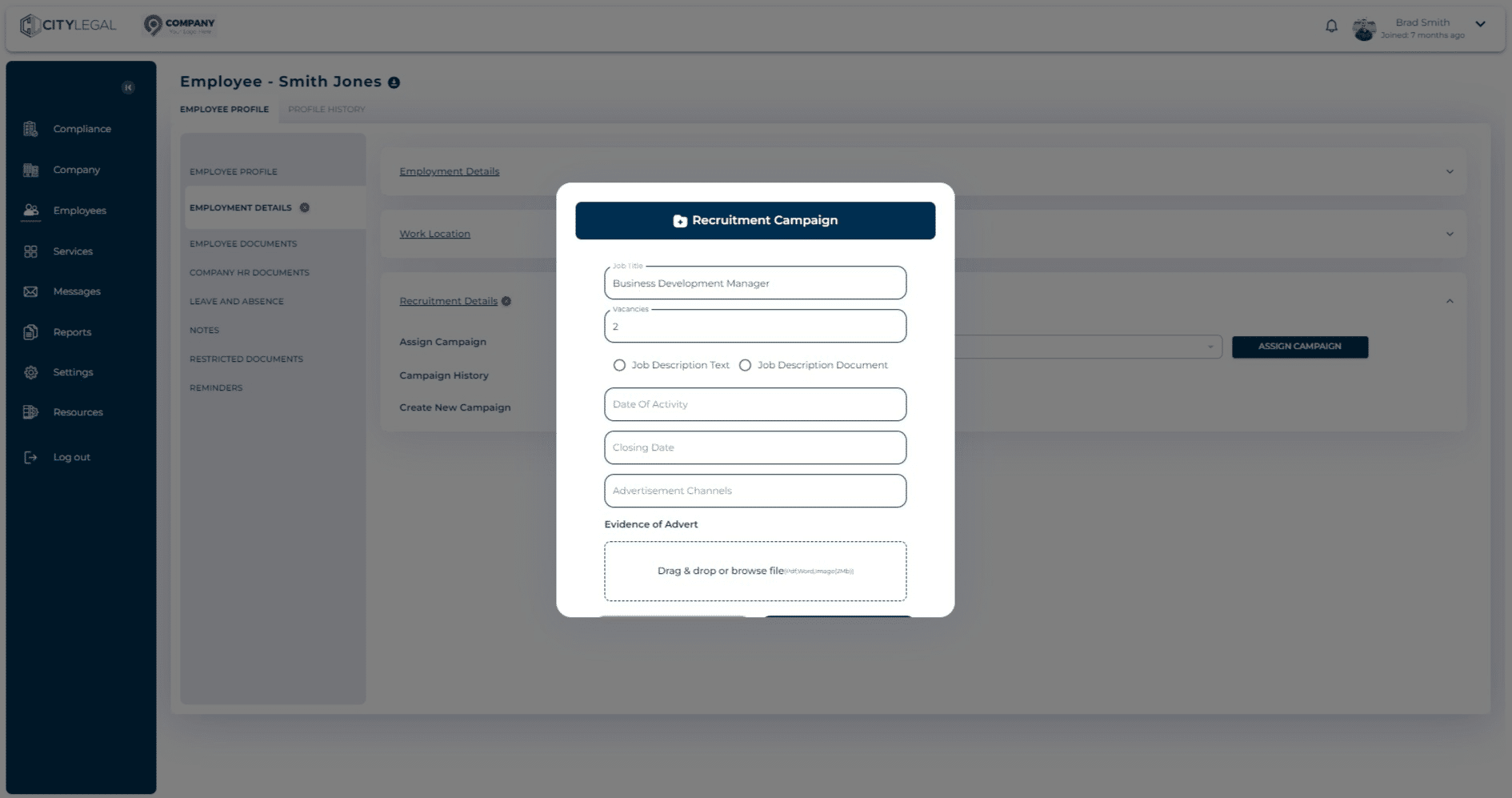
Add the Job Title here.

Add the Job Title here.
7

Click on "Job Description Text"

Click on "Job Description Text"
8

This option gives you a description field where you can put the JD in text for the job role.
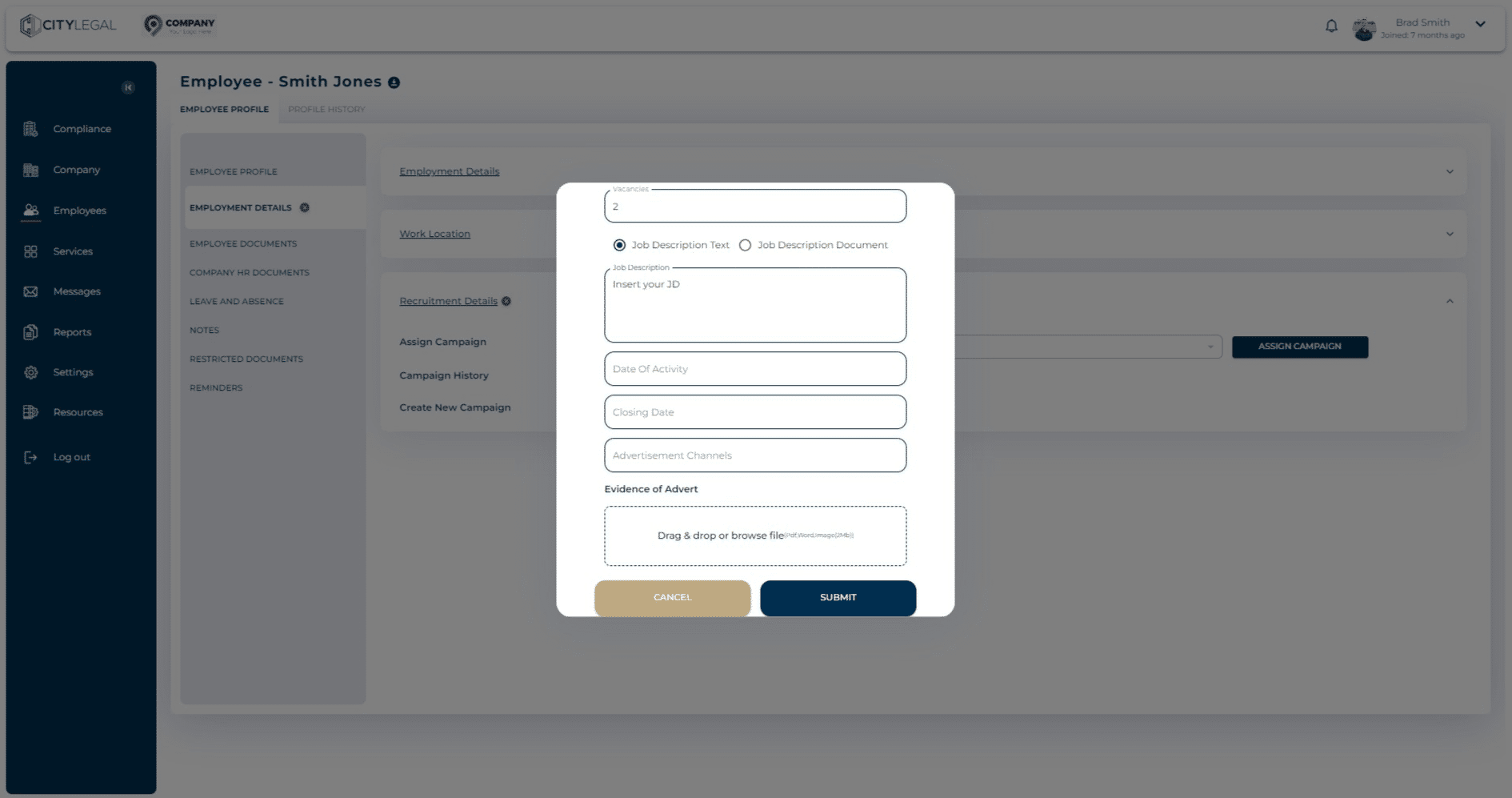
This option gives you a description field where you can put the JD in text for the job role.
9

Alternatively, there is an option to attach the JD file if you have it.
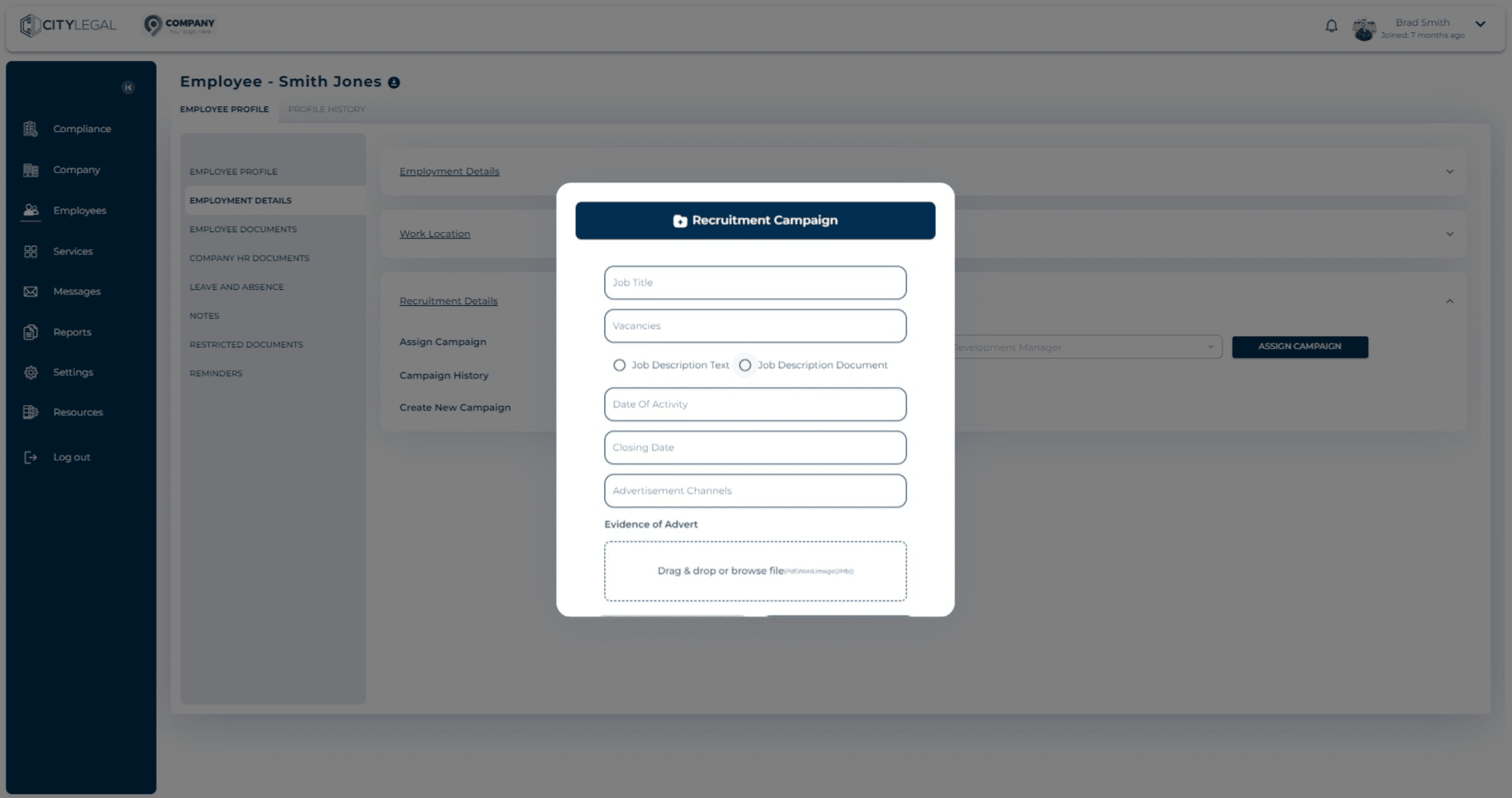
Alternatively, there is an option to attach the JD file if you have it.
10

This lets you drag and drop the JD file (PDF, Word, Image) for the Recruitment Campaign.
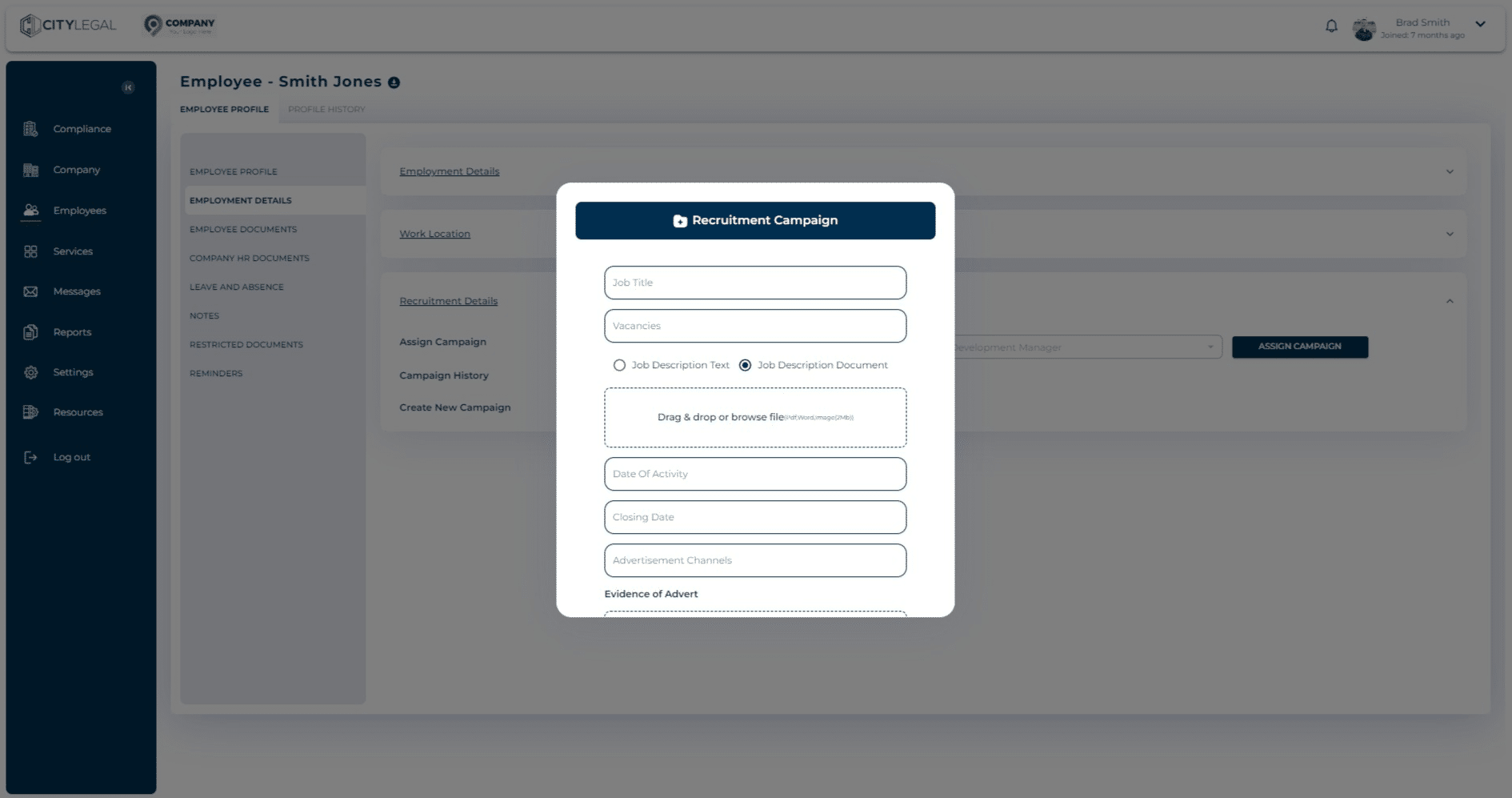
This lets you drag and drop the JD file (PDF, Word, Image) for the Recruitment Campaign.
11

Once uploaded, you can see the file there.
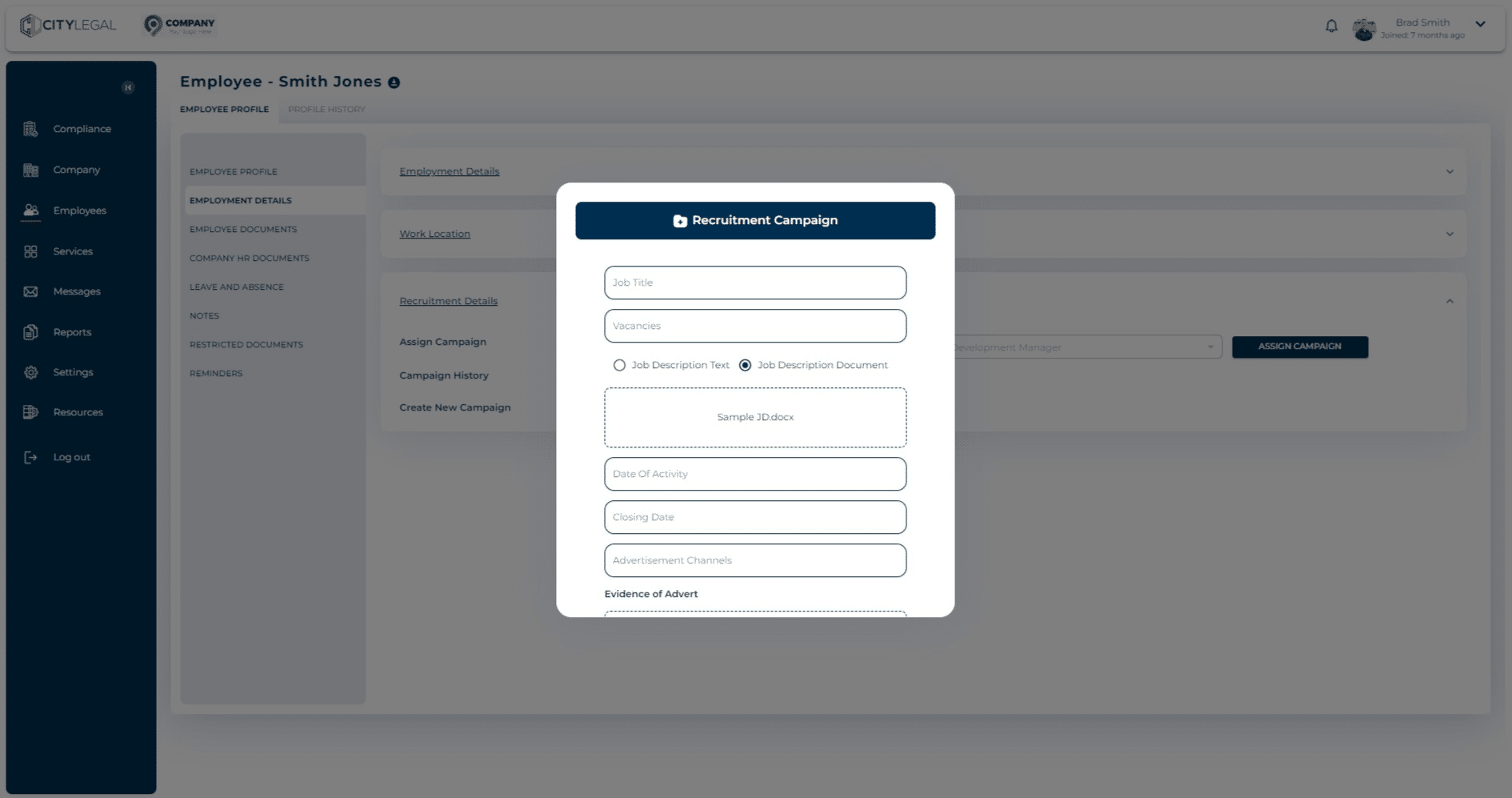
Once uploaded, you can see the file there.
12

Enter the start date of the recruitment activity from the calendar option.
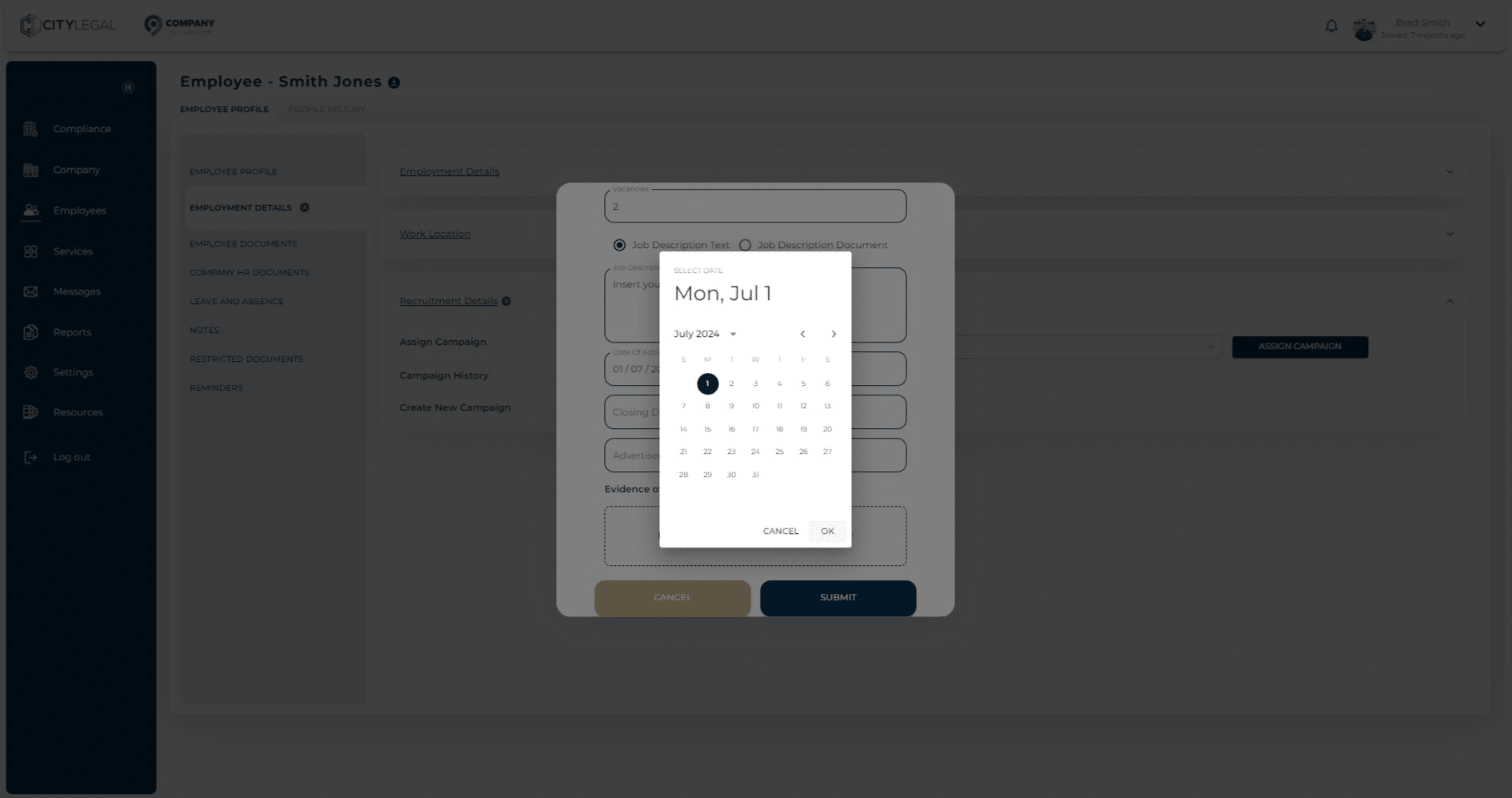
Enter the start date of the recruitment activity from the calendar option.
13

Enter the end date of the recruitment activity from the calendar option. This basically means the duration for which the Job was advertised.
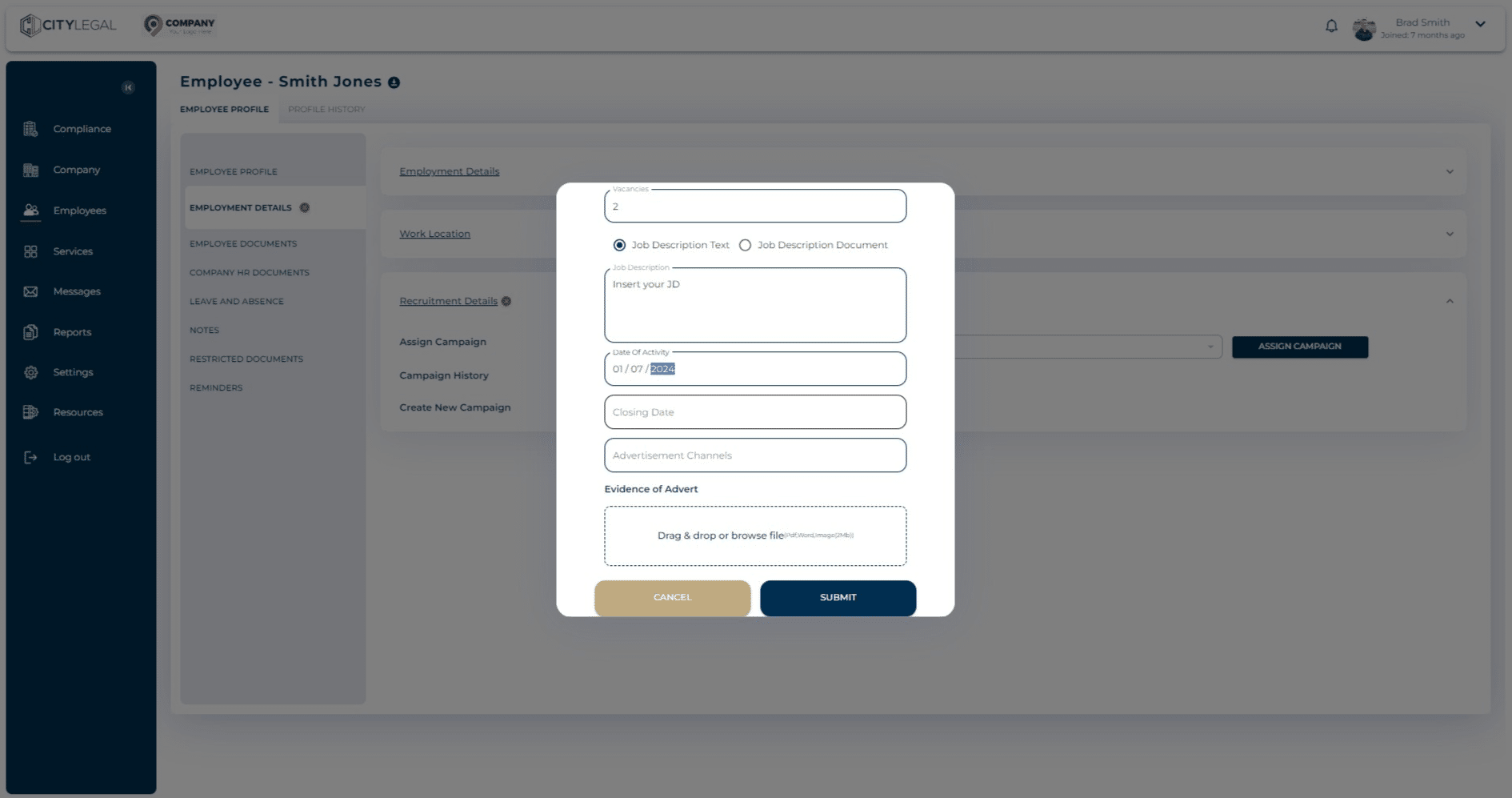
Enter the end date of the recruitment activity from the calendar option. This basically means the duration for which the Job was advertised.
14

Put all the channels that the job was advertised on. For example, Indeed, Reed, etc. You can also drop evidence of ads for the record.

Details of any advertisements you placed including:

• a screenshot, printout or photocopy of the advert, or a record of the text of the advert; and • information about where the job was advertised (for example, website address), and for how long

Note: there is no specified minimum number of adverts you must place, or prescribed method of advertising. Where you have placed more than one advert, we recommend you retain evidence of all adverts placed.

• A record of the number of people who applied for the job, and the number of people shortlisted for interview or for other stages of the recruitment process.

At least one other item of evidence or information which shows the process you used to identify the most suitable candidate (see Note below) – examples include but are not limited to:

• a copy or summary of the interview notes for the successful candidate • a list of common interview questions used for all candidates as part of your selection process • brief notes on why the successful candidate was selected and why other candidates were rejected • information about any scoring or grading process you used to identify the successful candidate • any other relevant information or evidence

Note: you do not have to retain application forms, CVs, interview notes or any other personal data relating to unsuccessful candidates.
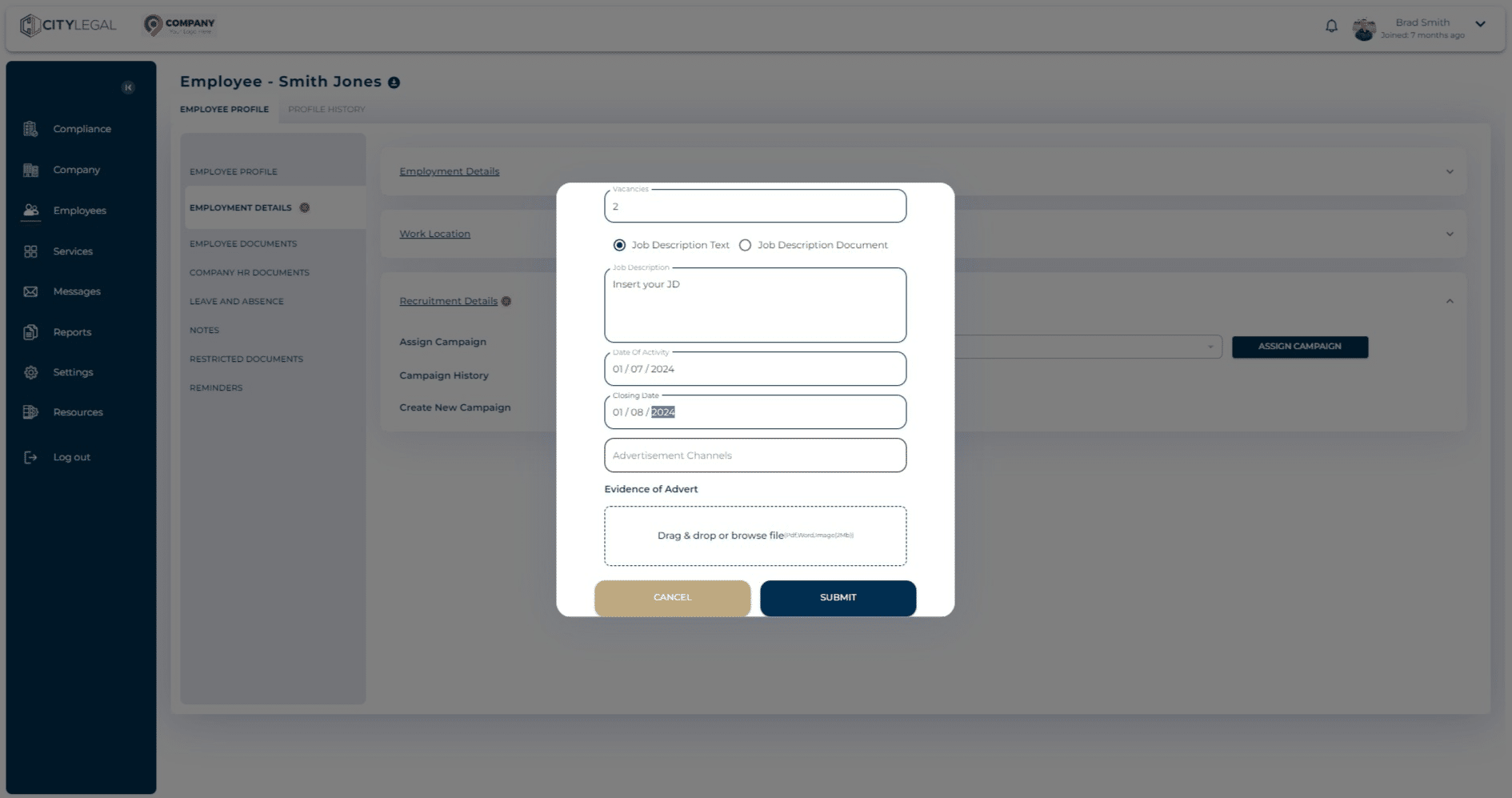
Put all the channels that the job was advertised on. For example, Indeed, Reed, etc. You can also drop evidence of ads for the record.

Details of any advertisements you placed including:
 
• a screenshot, printout or photocopy of the advert, or a record of the text of the advert; and
• information about where the job was advertised (for example, website address), and for how long
 
**Note:** there is no specified minimum number of adverts you must place, or prescribed method of advertising. Where you have placed more than one advert, we recommend you retain evidence of all adverts placed.
 
• A record of the number of people who applied for the job, and the number of people shortlisted for interview or for other stages of the recruitment process.
 
At least one other item of evidence or information which shows the process you used to identify the most suitable candidate (see Note below) – examples include but are not limited to:
 
• a copy or summary of the interview notes for the successful candidate
• a list of common interview questions used for all candidates as part of your selection process
• brief notes on why the successful candidate was selected and why other candidates were rejected
• information about any scoring or grading process you used to identify the successful candidate
• any other relevant information or evidence
 
**Note:** you do not have to retain application forms, CVs, interview notes or any other personal data relating to unsuccessful candidates.
15

Click on "submit" after all the recruitment campaign information is added.
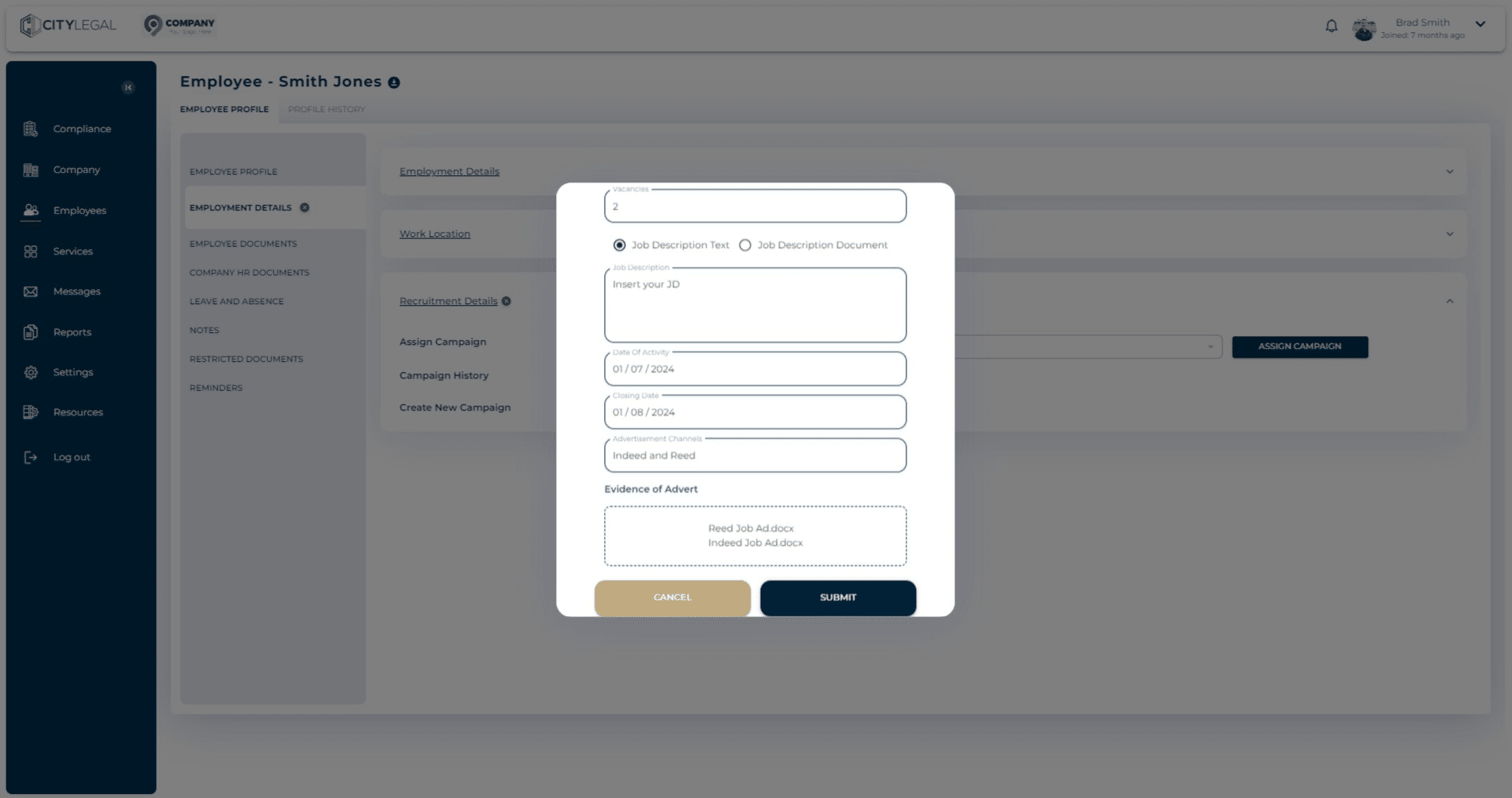
Click on "submit" after all the recruitment campaign information is added.
16

Once the campaign details are submitted, it will autimatically be assigned to the candidate.
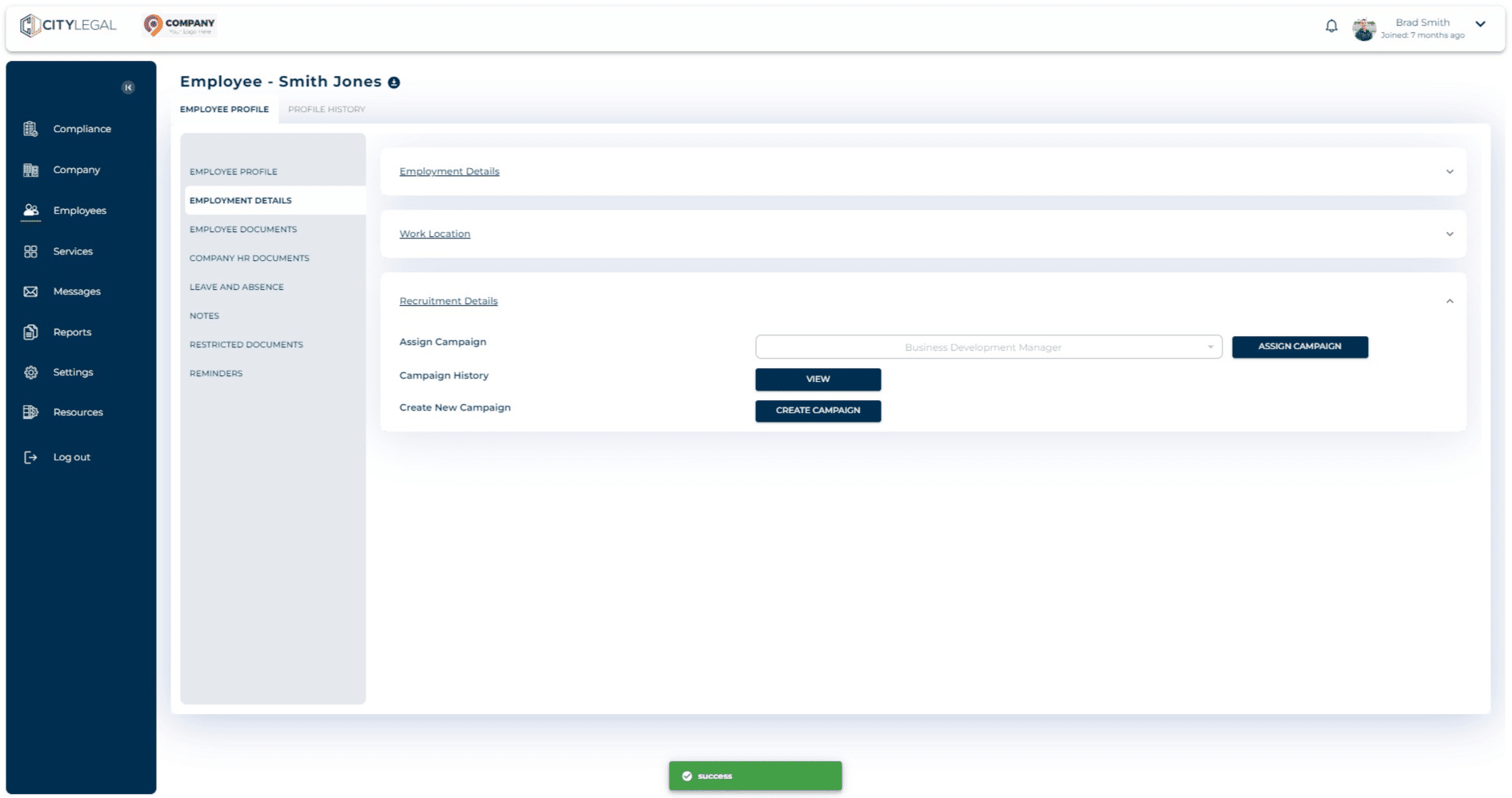
Once the campaign details are submitted, it will autimatically be assigned to the candidate.