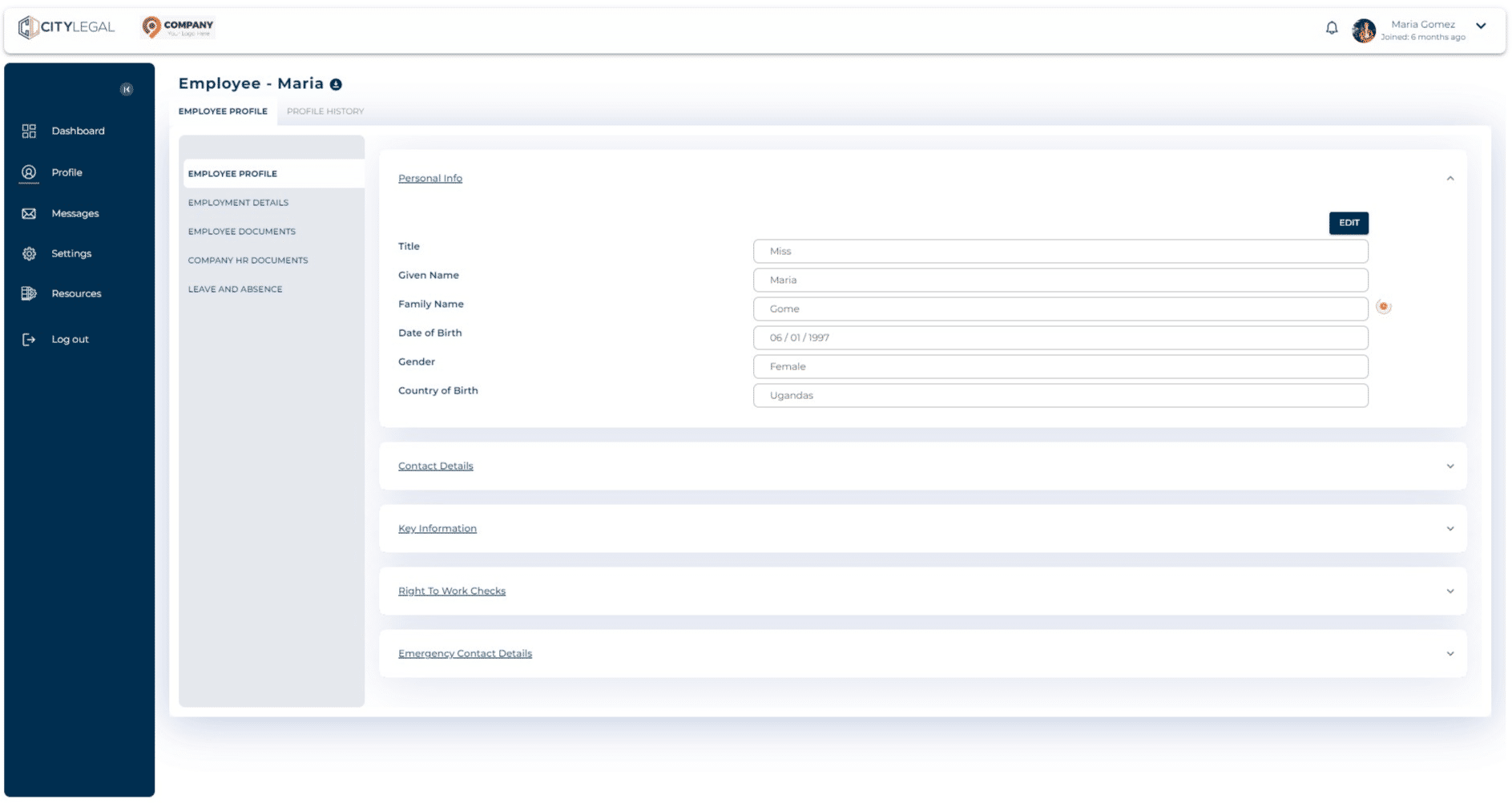
Report any changes to personal details
Aug 02, 2024●
1
From the 'Profile' section, click on "Employment Details" to edit personal details.

2
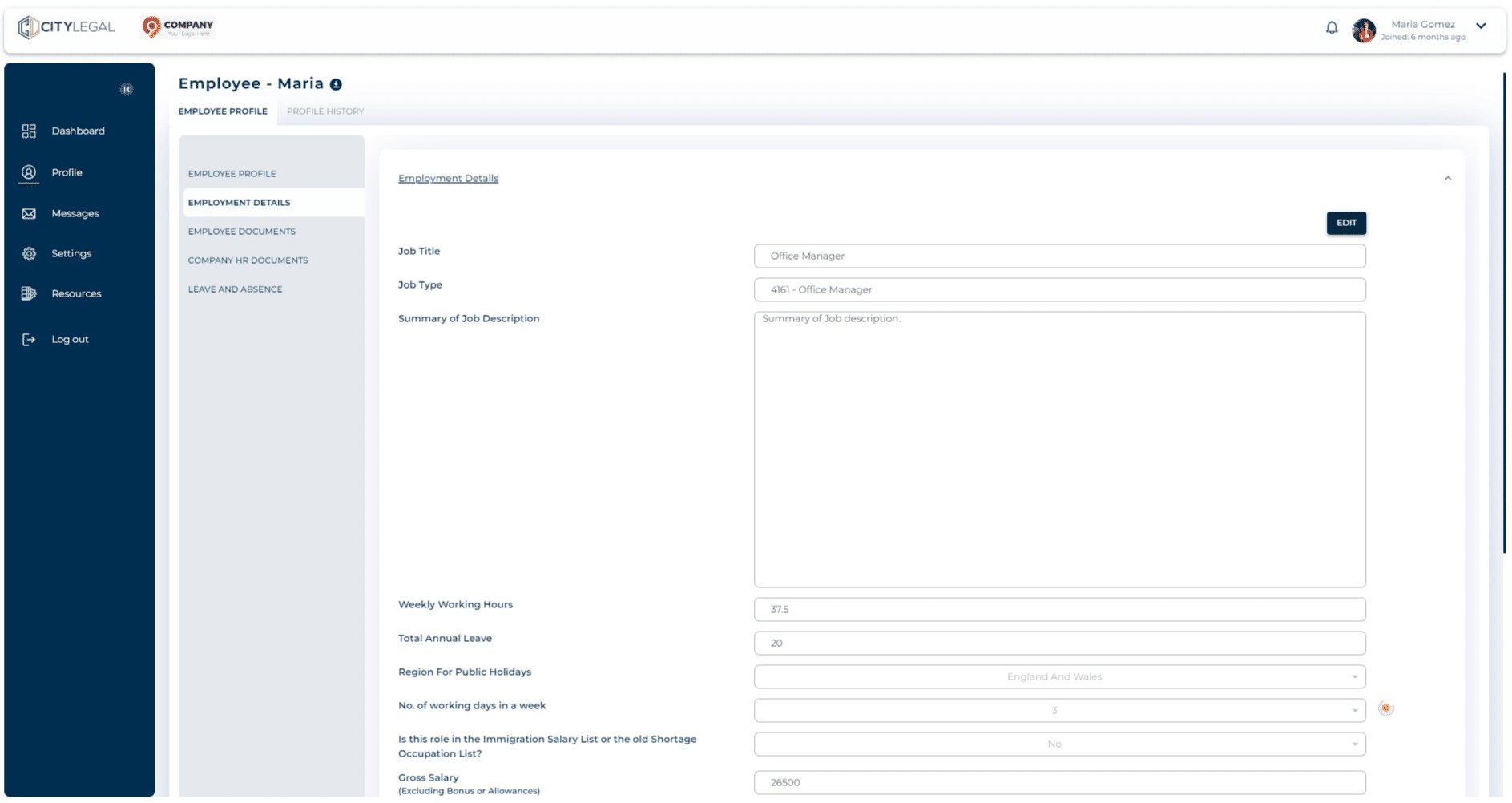
Click on "Edit" to make changes. For example, we will change 'Job Title' from Office Manager to Senior Office Manager as this is a reportable activity.
3
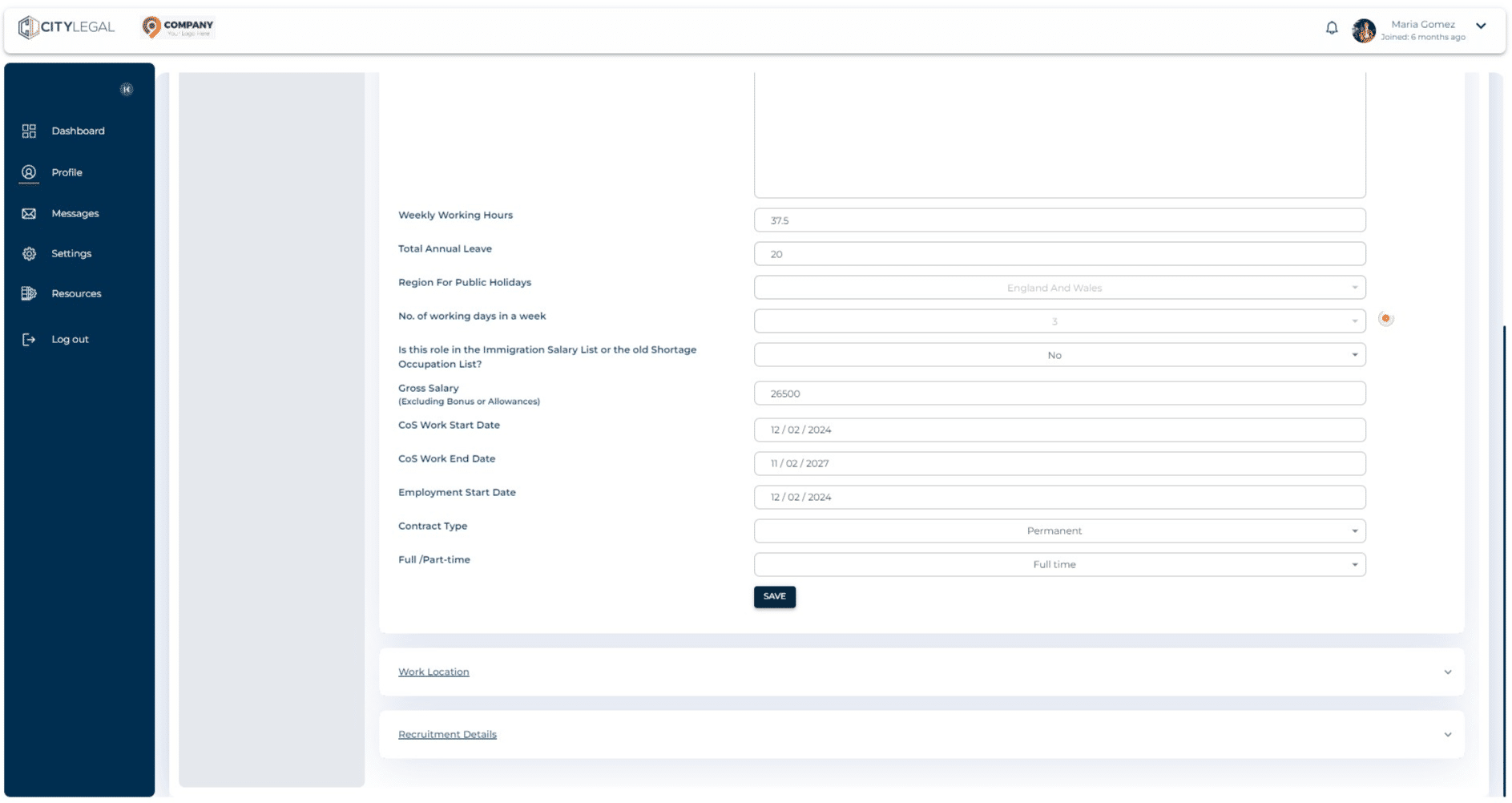
Click on "Save" to save the changes in personal details.
4
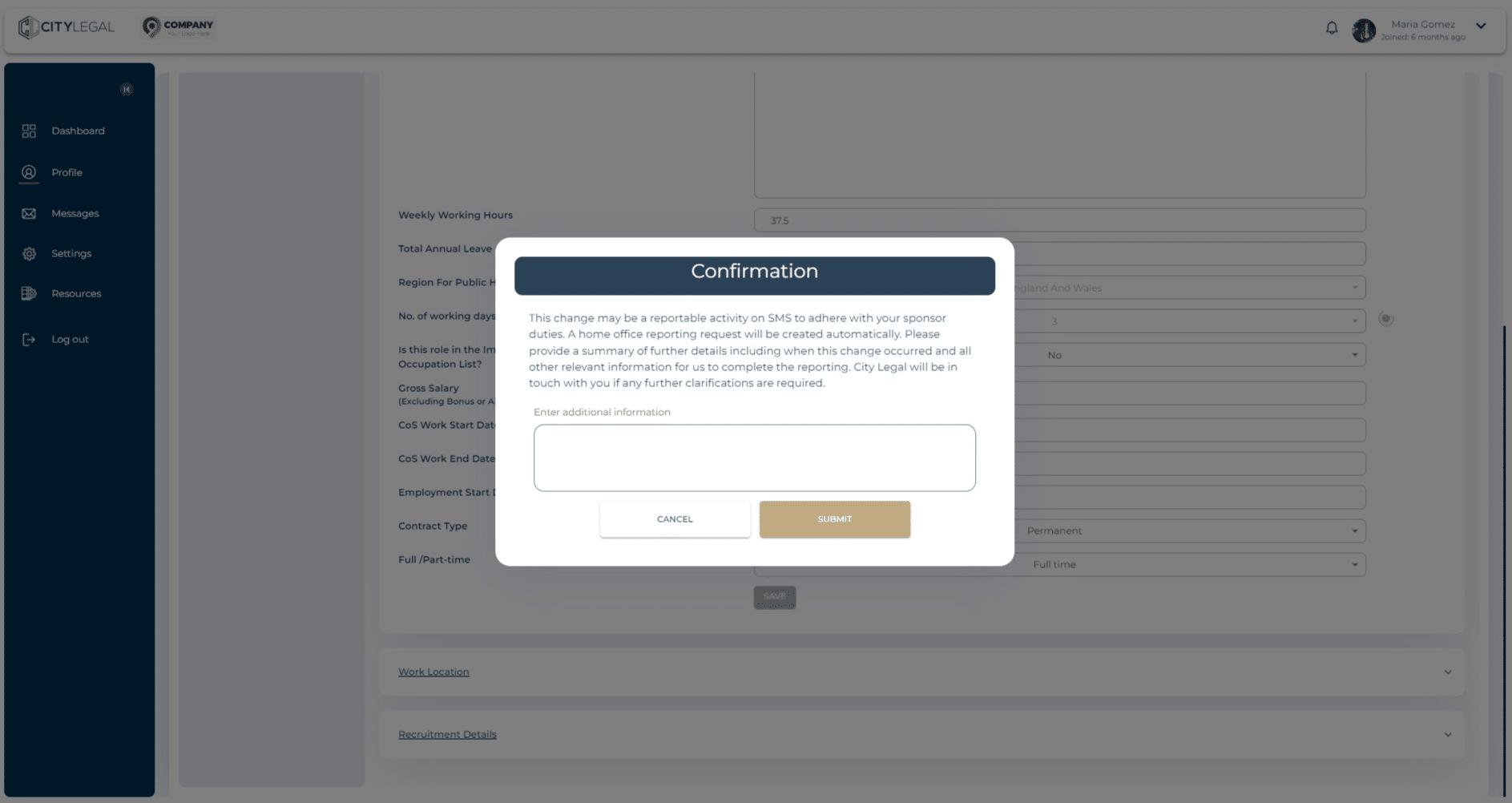
As soon as you click on 'Save', an automatic reporting request will be sent to us. You can provide any additional information in the dialogue box below.