Request SMS reporting
Jul 31, 2024●
1
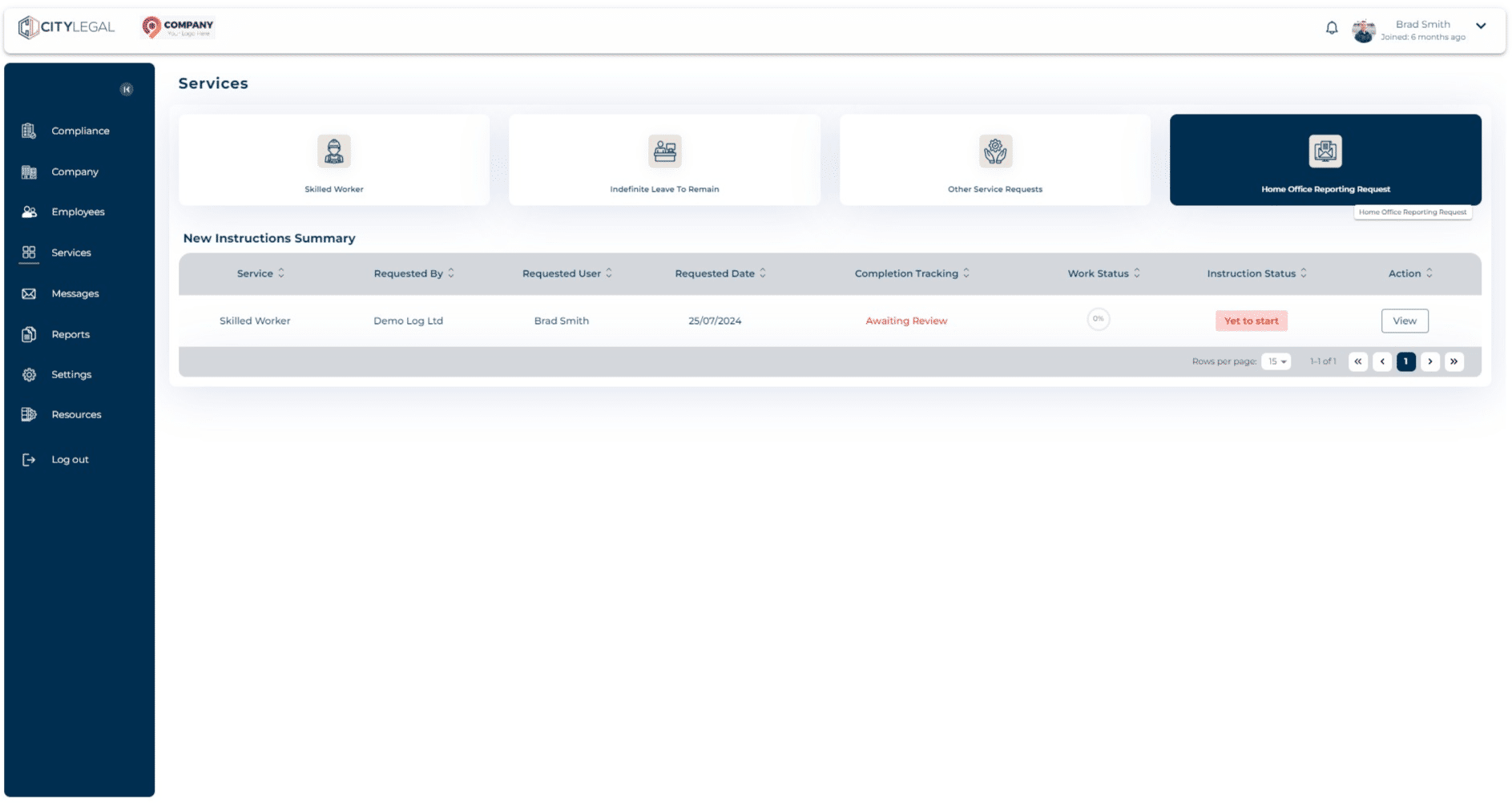
Navigate to 'Services' and click on 'Home Office Reporting Request'.

2
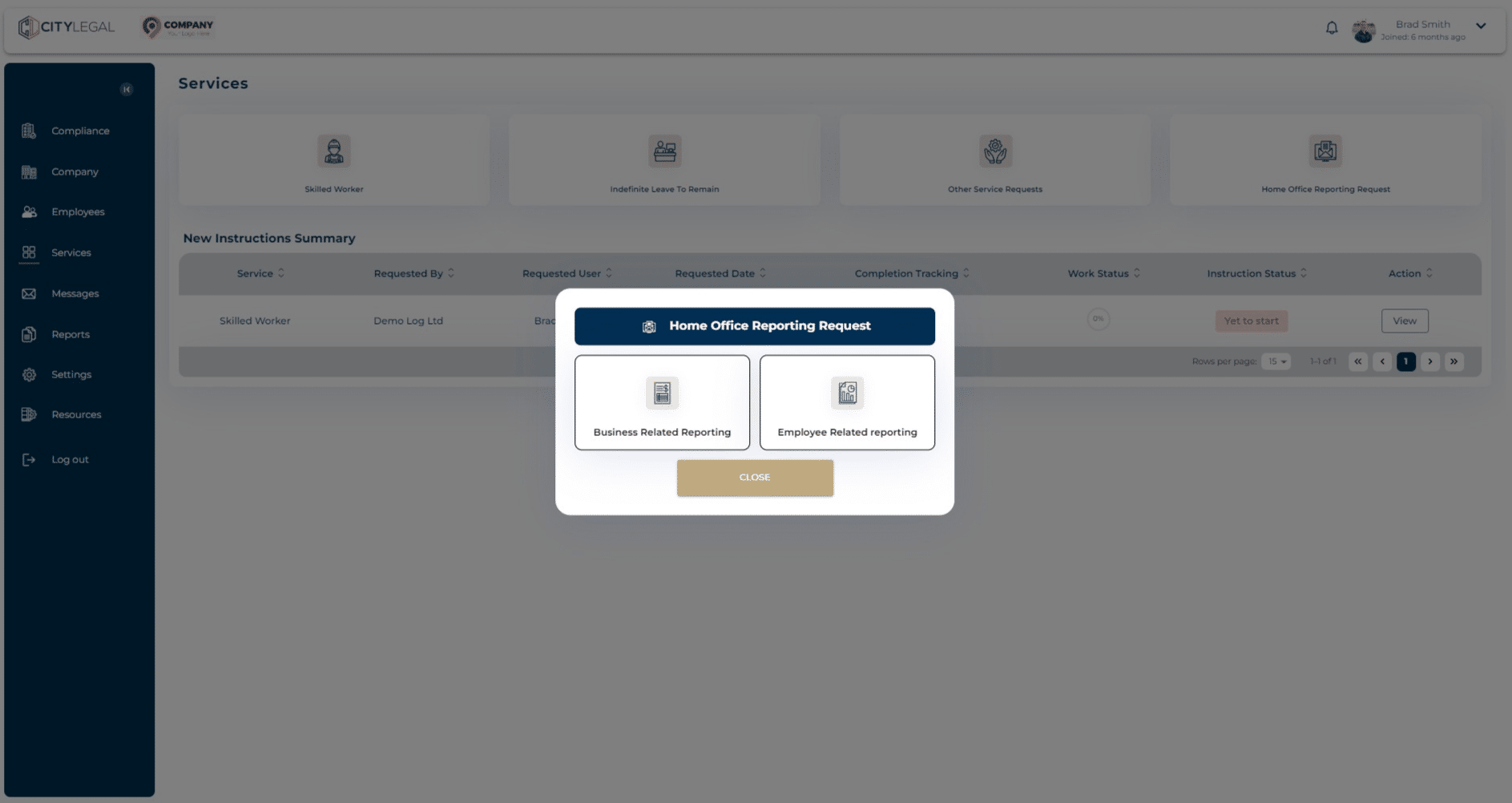
Select 'Business Related Reporting' for reporting any changes in the business.
3
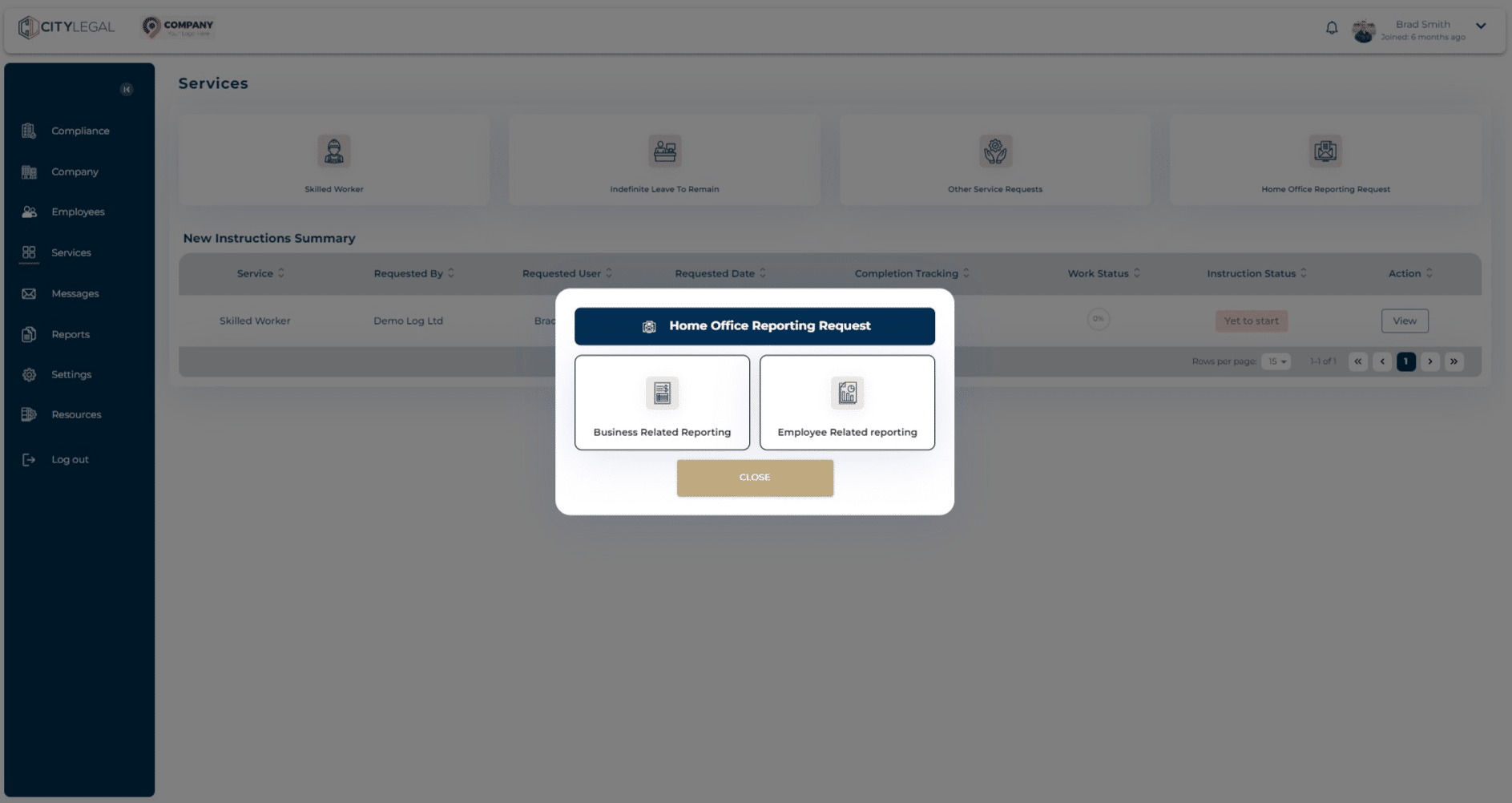
Select 'Employee Related Reporting' for reporting any changes in the circumstances of the employee.
4
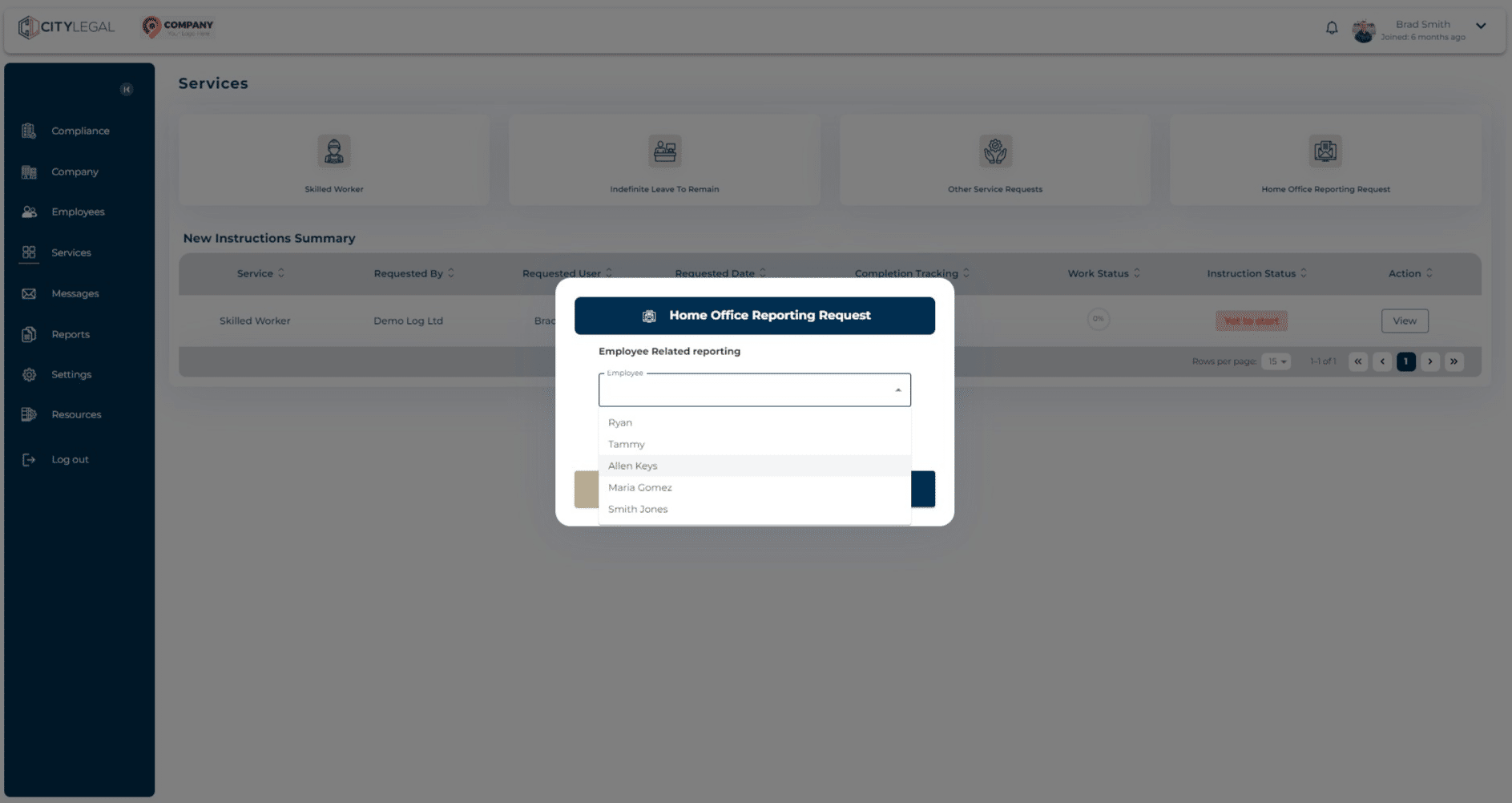
Select the concerned employee from the drop down options.