

Add employee documents
Jul 31, 2024●
1
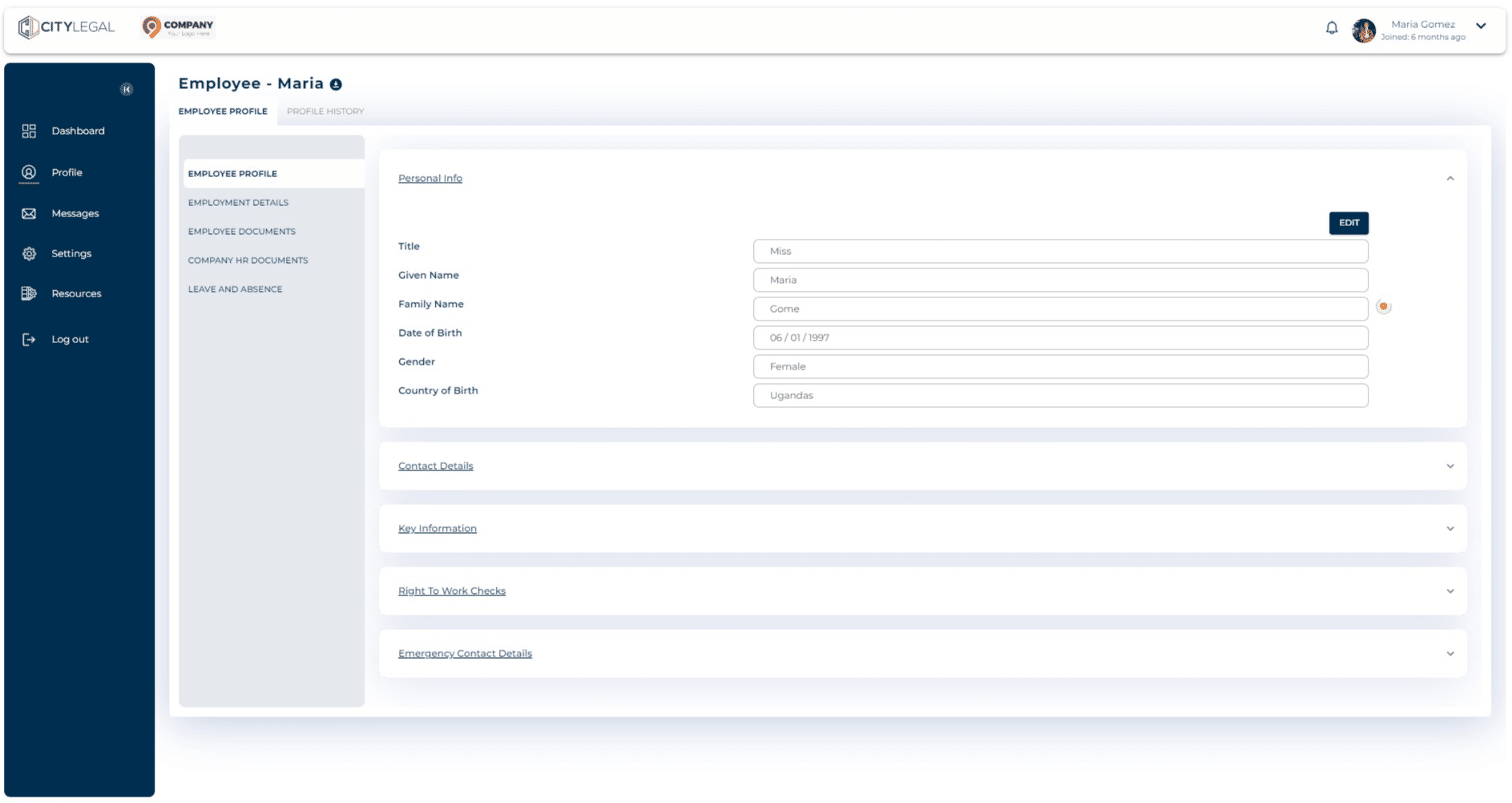
Navigate to 'Profile' and click on "Employee Documents".

2
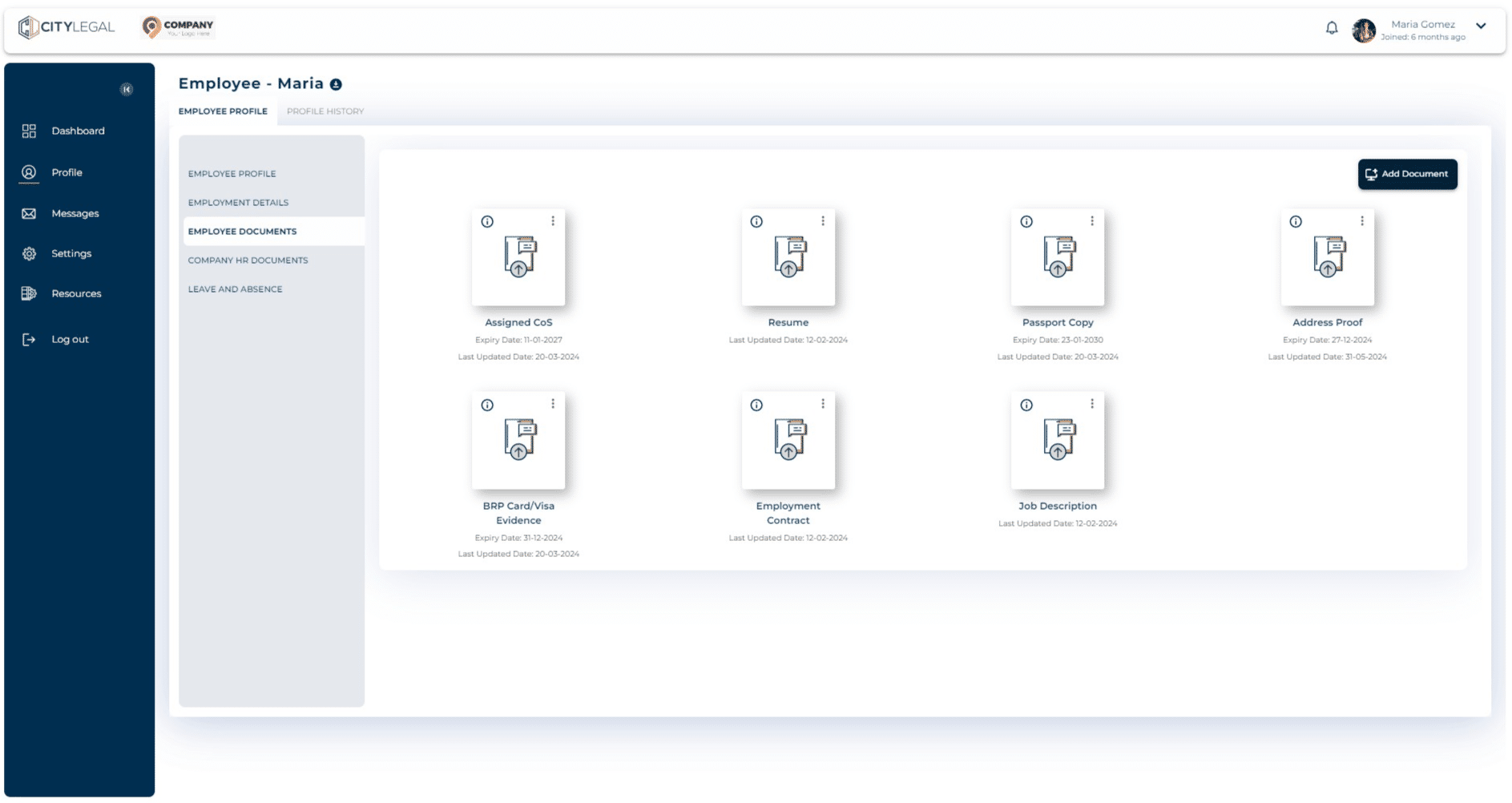
Click 'Add Documents'.
3
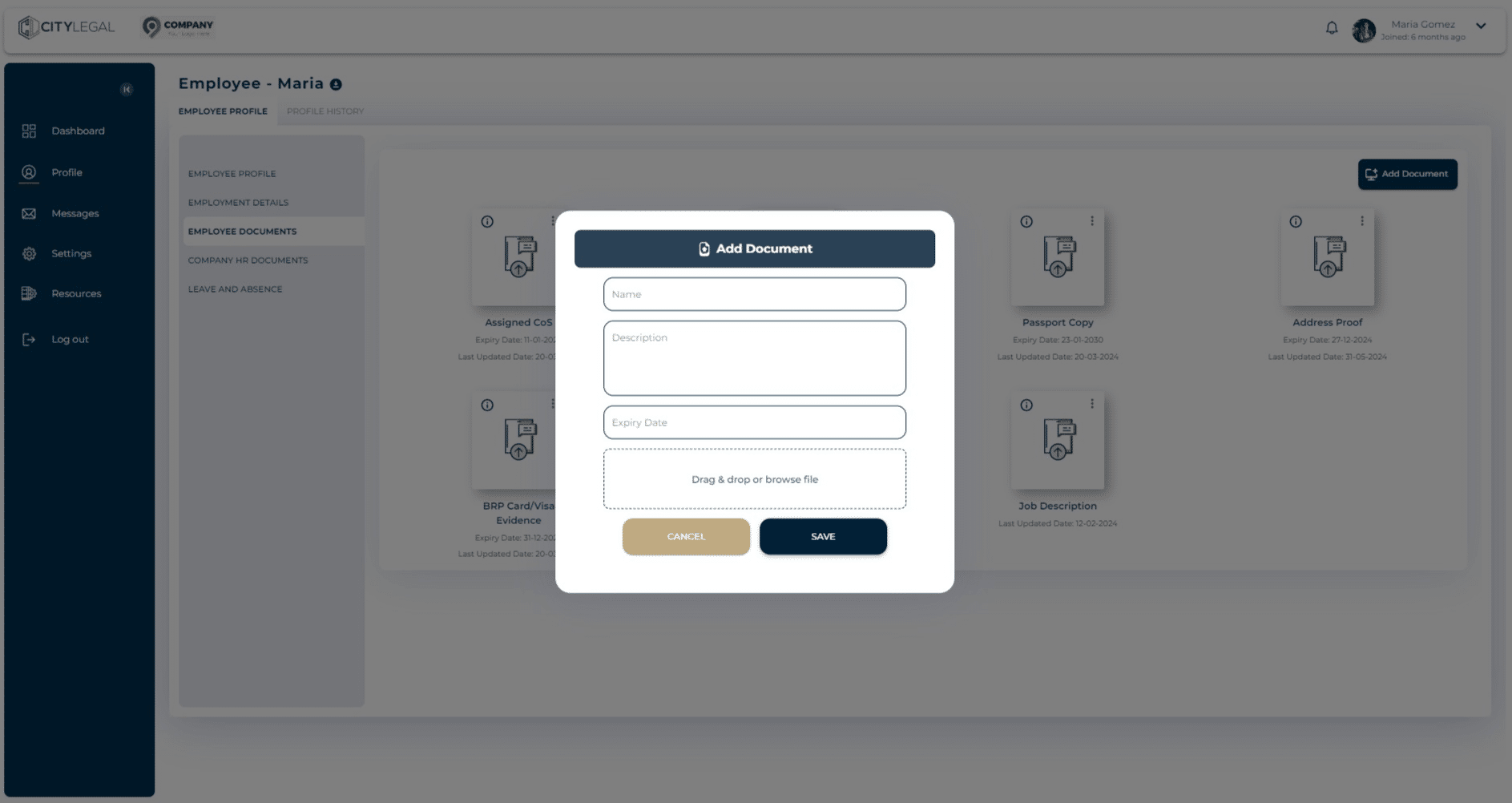
Add document details and attach the file. Click 'Save' to add.
Navigate to 'Profile' and click on "Employee Documents".
Click 'Add Documents'.
Add document details and attach the file. Click 'Save' to add.