Reporting employee absence
Jul 31, 2024●
1
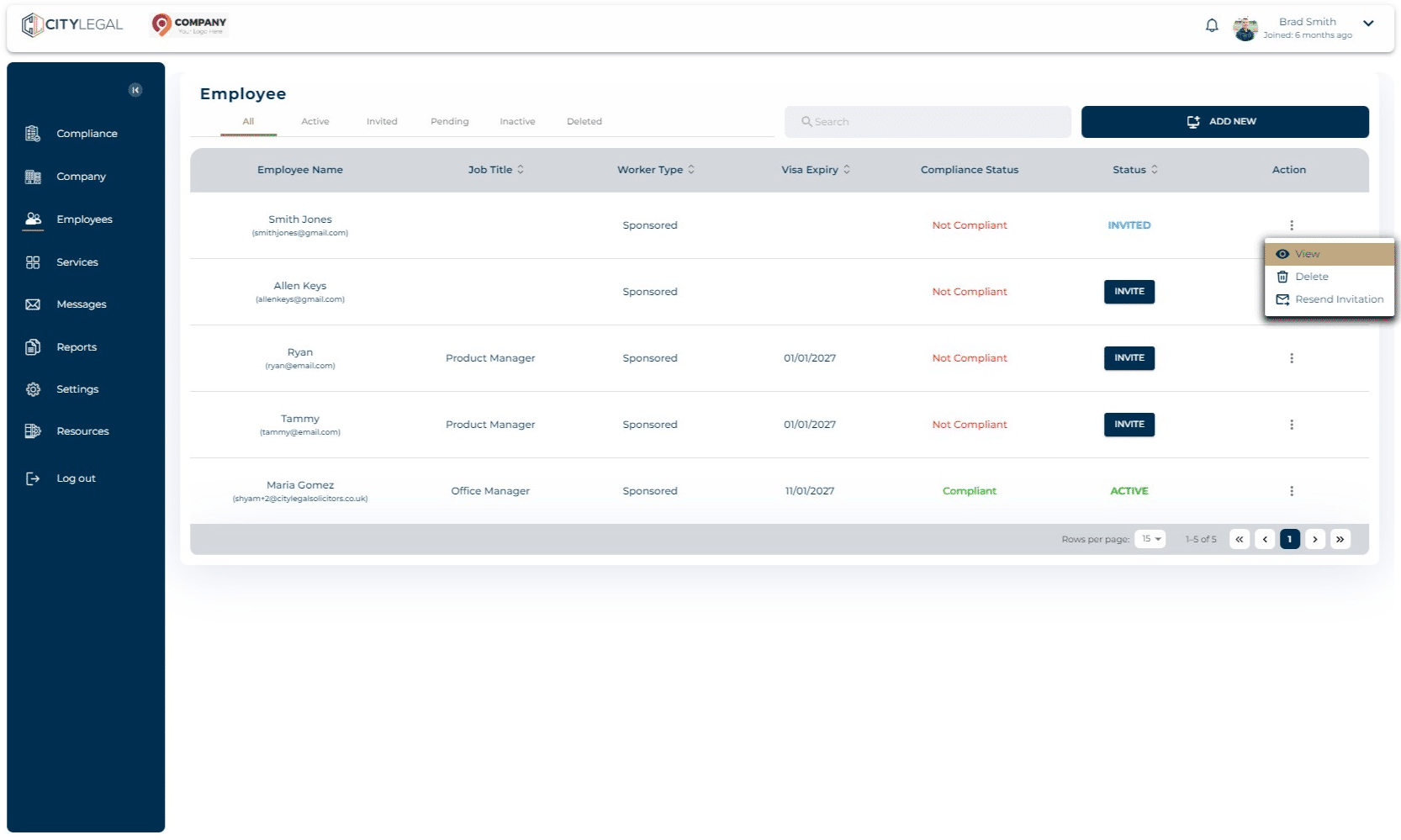
Navigate to 'Employees'. Click on the three dots for the employee you want to report the absence of and click on 'View'.

2
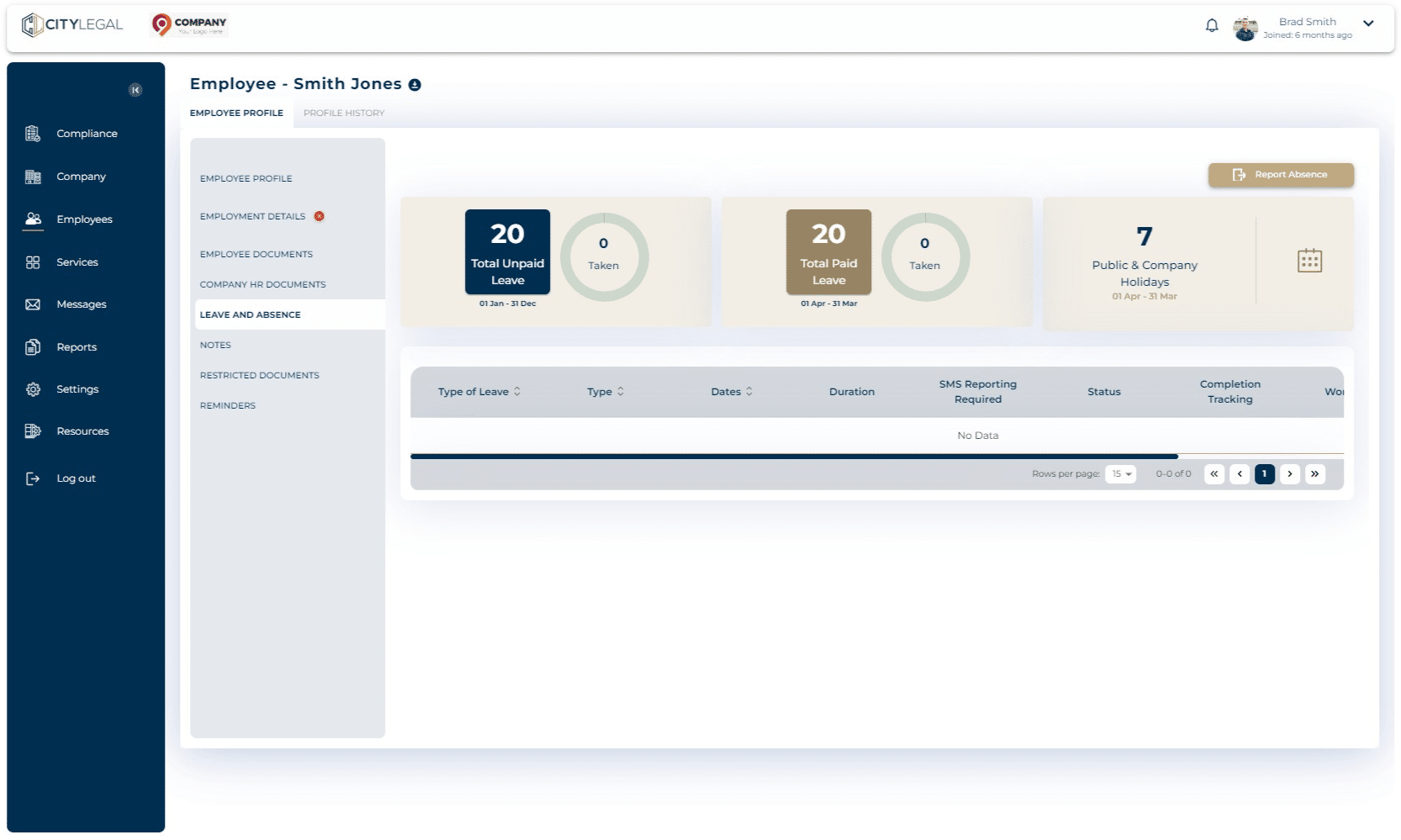
Go to 'Leave and Absence' and click on 'Report Absence'.
3
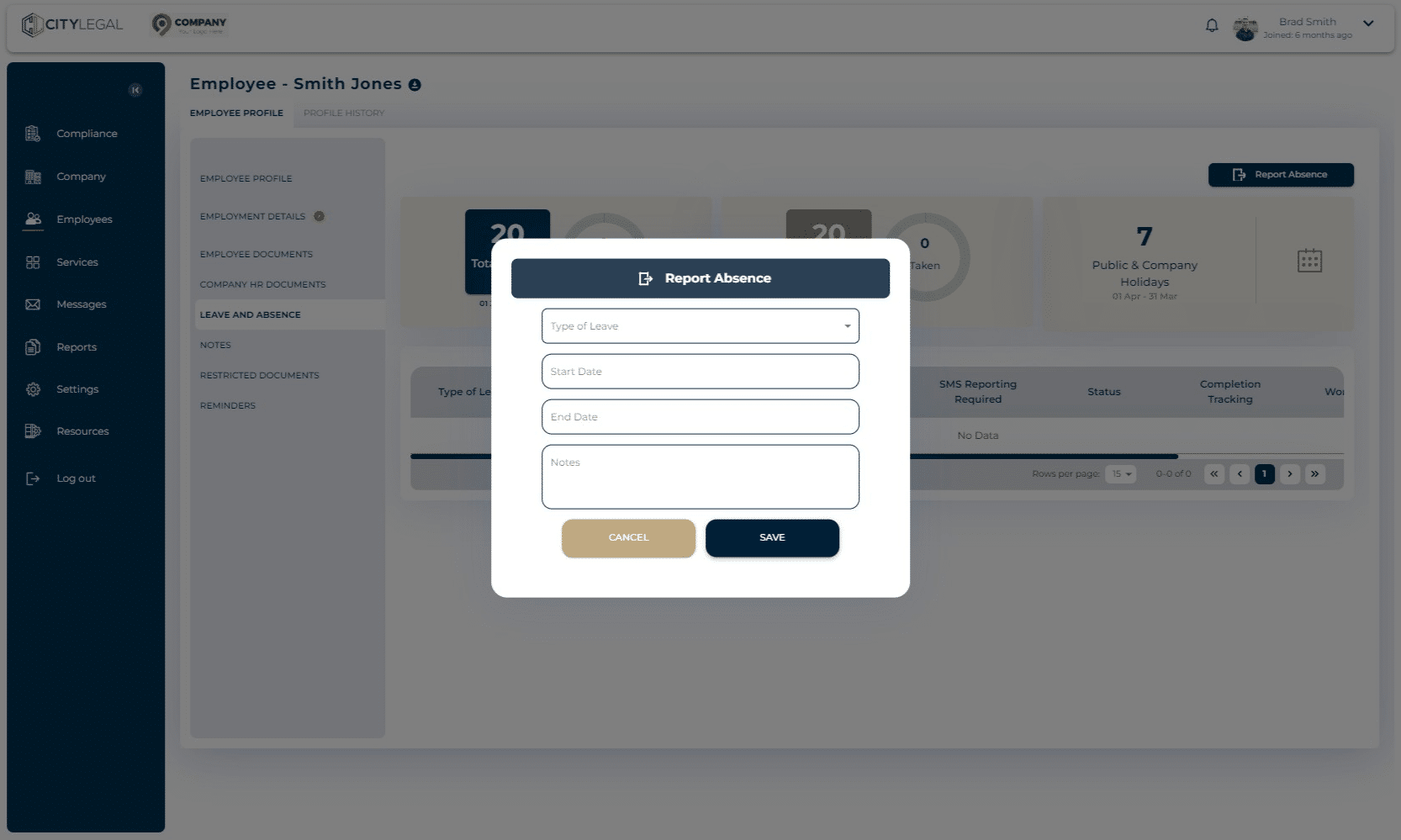
Fill in the details and click 'Save'.